
Document Approval
Send documents for review and get timestamped approval confirmation from every reader — no more email chains, spreadsheets, or manual compliance tracking.
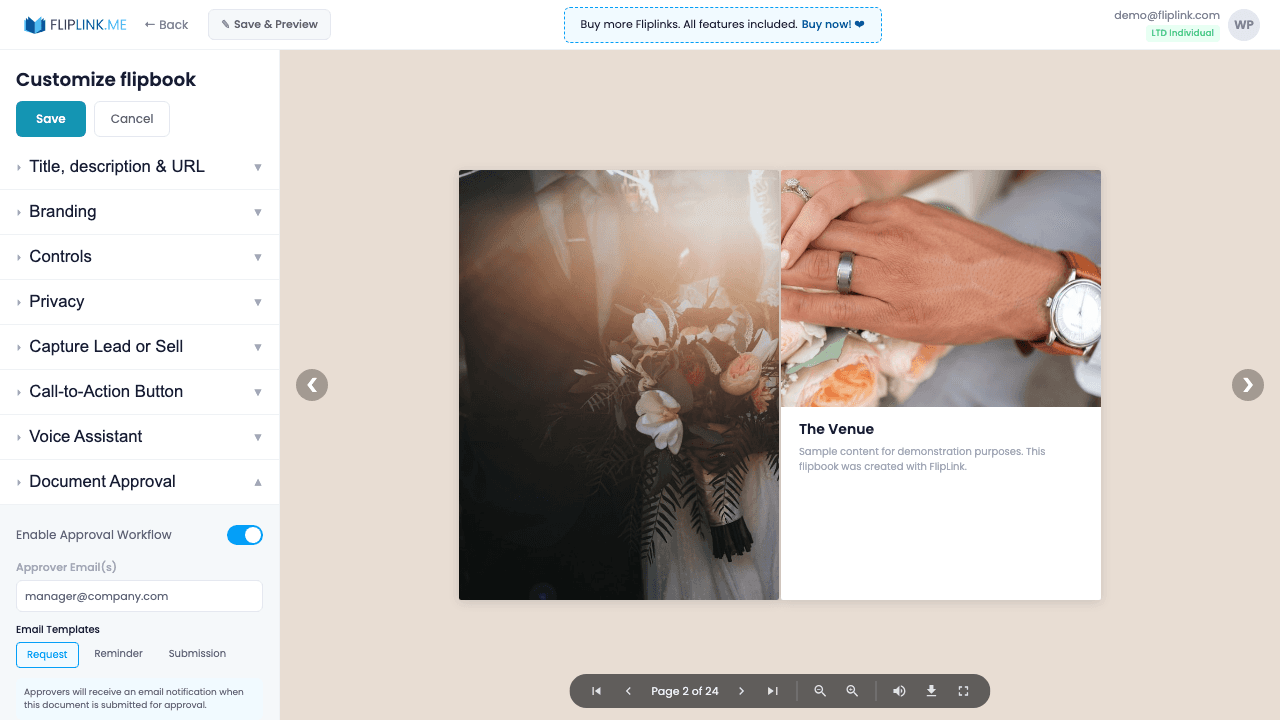
Overview
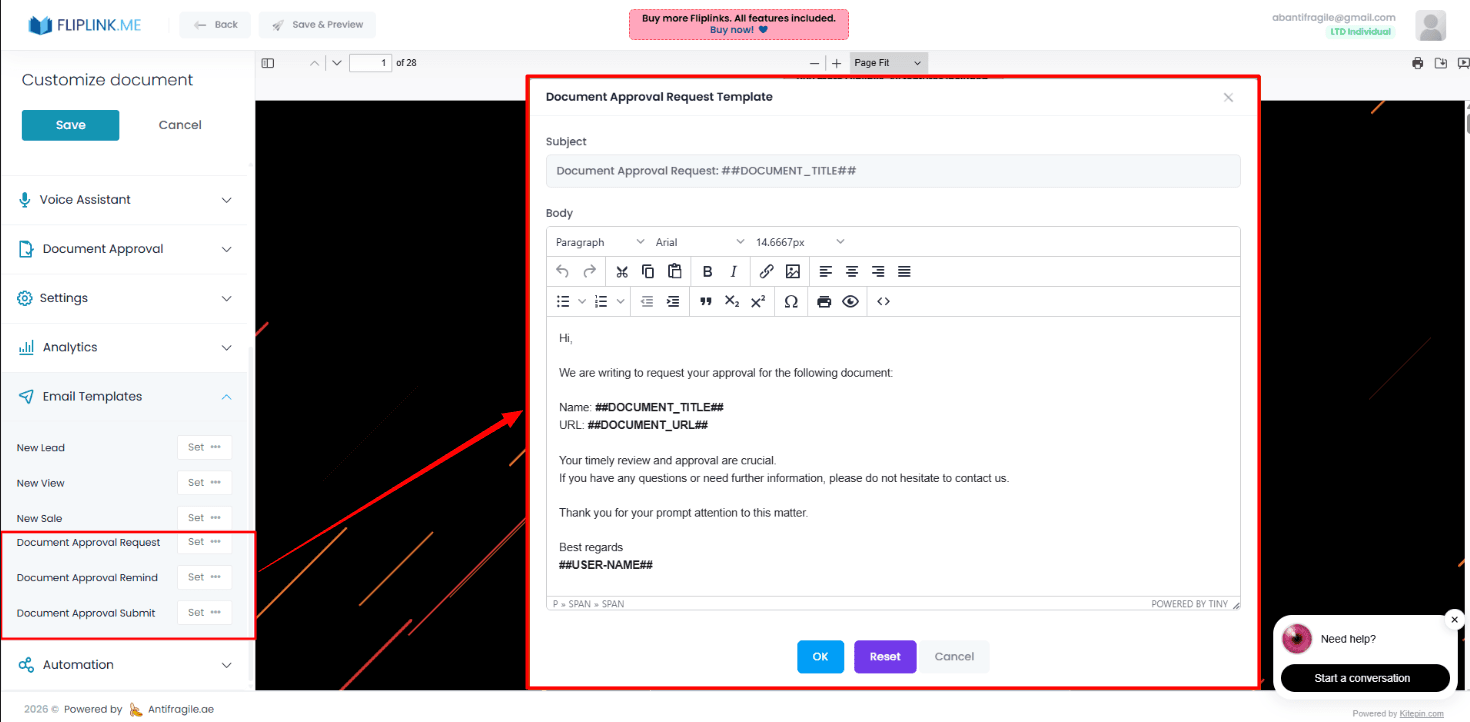
For Document-type publications, add an Approval button to the viewer. Configure a list of reviewer email addresses, and they receive email notifications when approval is requested. Reviewers click the approval button directly in the viewer, and you receive an email confirmation. Track approval status with timestamps. Includes custom email templates for request, reminder, and submission notifications.
Live Demo
Document with Approval Button
DocumentWhat to look for: This document includes an approval button. Authorized viewers whose email is on the allowlist can approve the document directly from the viewer.
What's Included
Approval workflow
Add an Approve button to the document viewer that reviewers click to formally sign off on content — no more email chains.
Email-based access control
Configure a list of reviewer email addresses. Only approved reviewers can submit approval, ensuring proper authorization.
Approval tracking dashboard
Track who approved and when with timestamps. See the full approval history for compliance and audit purposes.
Custom email templates
Customize the notification emails for approval requests, reminders, and confirmations using the rich HTML editor.
What You Need
Email Allowlist
The approval button only appears for viewers whose email is on the allowlist. Configure the email allowlist under Privacy & Access Control before enabling approval.
Try Document Approval Free
All features included in the free trial. No credit card required.
Use Cases for Document Approval
Pay Once, Use Forever
10, 50 or 100 flipbooks · All 35 features · Unlimited domains
No feature gates. Every Lifetime Deal tier unlocks all 35 features.
- Every feature unlocked — no feature gates
- Stackable — buy more codes anytime
- Replaceable — swap old for new
- Unlimited custom domains (CNAME)
- No recurring fees, ever
Ready to Transform
Your PDFs?
Join thousands of businesses using FlipLink to create engaging, interactive content from their PDFs. Start free — no credit card required.