
Custom Domains
Add unlimited custom domains with auto-provisioned SSL certificates to your flipbooks — no restrictions, no extra fees, full branding.
Overview
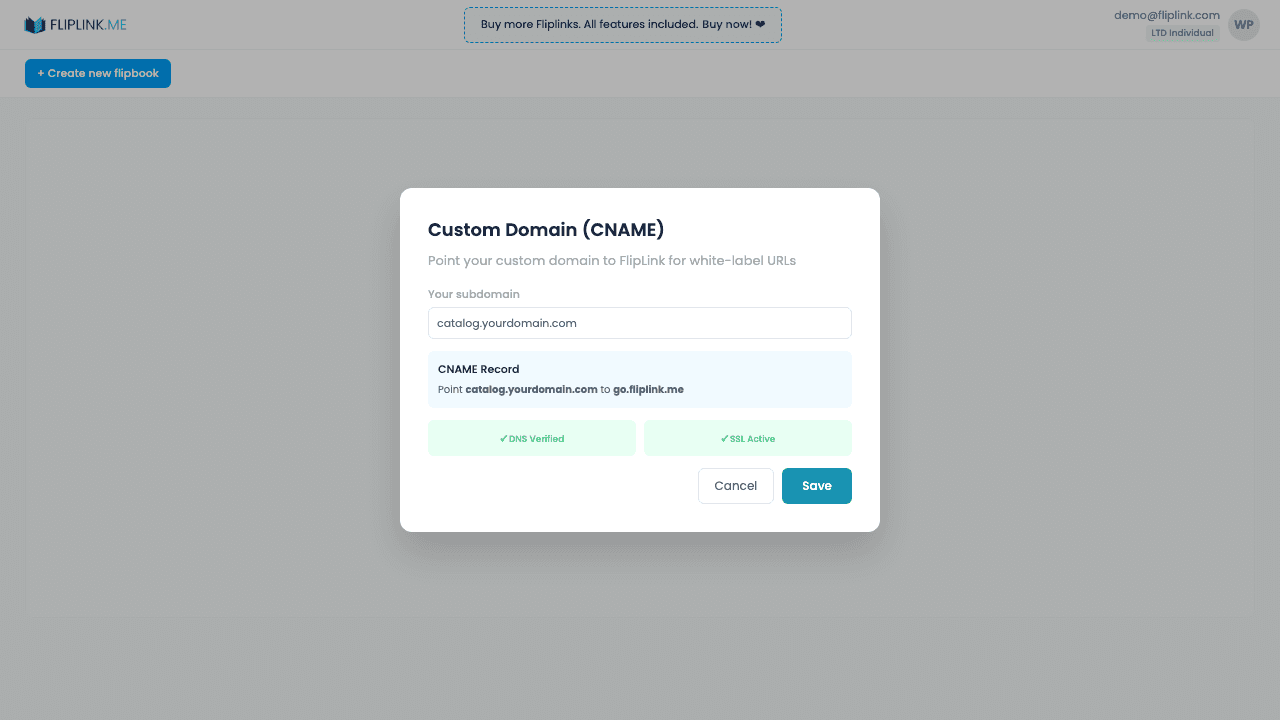
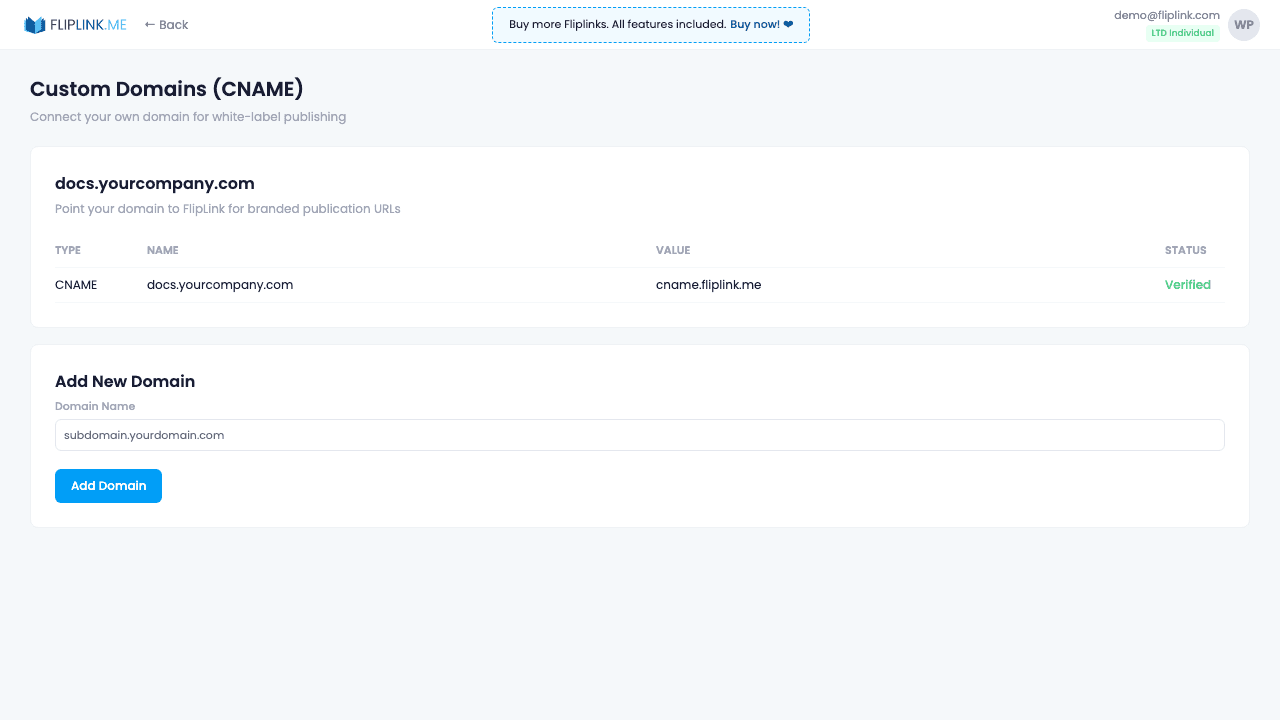
Stop sharing go.fliplink.me links and use your own domain instead. Add as many custom domains as you need — there are no limits and no extra cost. Set up a CNAME record pointing your subdomain (e.g., docs.yourbrand.com) to FlipLink. SSL certificates are auto-provisioned — your viewers always see the green padlock. Important: if you use Cloudflare, turn OFF the proxy (orange cloud) so FlipLink can provision its own SSL certificate — it activates in 20–30 minutes. Supports DNS verification, and you can bulk-assign a domain to multiple publications.
Live Demo
Custom Domain (CNAME)
FlipbookWhat to look for: This flipbook is served from a custom domain (flip.csrsupport.space) instead of go.fliplink.me. CNAME mapping makes the URL match your brand — no FlipLink branding in the URL.
What's Included
Unlimited CNAME domains
Add as many custom domains as you need — no limits, no extra cost. Point your subdomains (e.g., docs.yourbrand.com) to FlipLink with a simple CNAME DNS record. Your publications serve from your own domain.
Auto SSL certificate
SSL certificates are automatically provisioned and renewed after domain verification. Your viewers always see the green padlock.
Cloudflare — turn OFF proxy
If you use Cloudflare for DNS, you must turn OFF the proxy (orange cloud icon) for your CNAME record. FlipLink provisions its own SSL certificate, which activates within 20–30 minutes. Cloudflare proxy interferes with this process.
DNS verification
FlipLink checks your DNS configuration and confirms when the CNAME is properly set up. Propagation typically takes minutes to hours.
Bulk domain assignment
Assign one custom domain to multiple publications at once, so all your content serves from a consistent branded URL.
What You Need
Own domain with DNS access
You need a domain you own (e.g., docs.yourcompany.com) with access to its DNS settings. You'll create a CNAME record pointing your subdomain to FlipLink's servers.
SSL activation time (~30–40 min)
After mapping your domain, FlipLink auto-provisions an SSL certificate. It typically takes 30–40 minutes to activate before your custom domain is live with HTTPS.
Free: Pdf To Flipbook
Turn your PDF into a beautiful 3D page-flipping flipbook.
Try it free — no sign-up neededTry Custom Domains Free
All features included in the free trial. No credit card required.
Related Features
Sharing & Distribution
Share your flipbook or document anywhere — direct link, QR code, website embed, or across 15+ social platforms with one click.
Lead Capture
Gate your flipbook or document behind a customizable lead capture form and turn every viewer into a qualified, trackable lead.
Lead Management
View, search, filter, and export every lead across all publications — track sources, manage contacts, and sync to your CRM or email marketing list.
Pay Once, Use Forever
10, 50 or 100 flipbooks · All 35 features · Unlimited domains
No feature gates. Every Lifetime Deal tier unlocks all 35 features.
- Every feature unlocked — no feature gates
- Stackable — buy more codes anytime
- Replaceable — swap old for new
- Unlimited custom domains (CNAME)
- No recurring fees, ever
Frequently Asked Questions
How many custom domains can I add?
Unlimited. FlipLink allows you to add as many custom domains (CNAME) as you need at no additional cost.
Does FlipLink provide SSL for custom domains?
Yes. SSL certificates are automatically provisioned and renewed for all custom domains at no extra charge.
Will my custom domain show any FlipLink branding?
No. When using a custom domain, all FlipLink branding is removed. Your viewers see only your brand.
Ready to Transform
Your PDFs?
Join thousands of businesses using FlipLink to create engaging, interactive content from their PDFs. Start free — no credit card required.