
Team Collaboration
Add team members with their own logins, isolated publications, and workspaces — manage multiple brands or clients without any content cross-contamination.
Overview
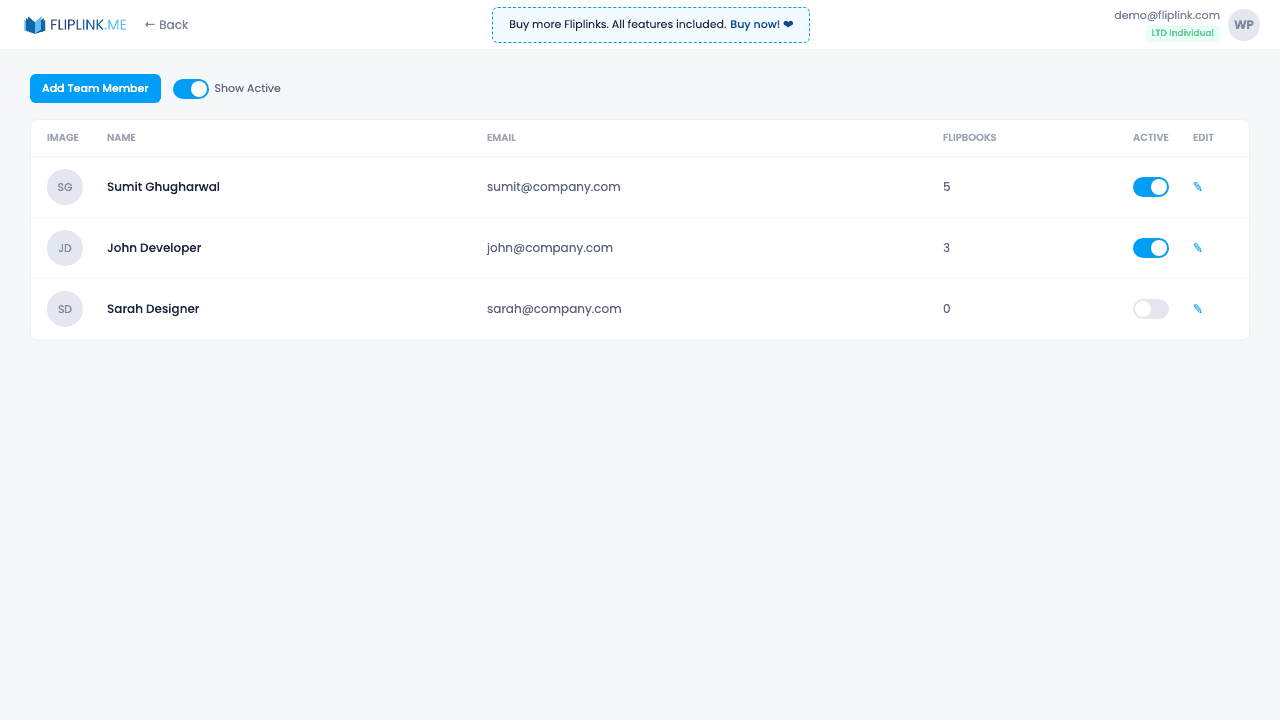
Add team members with their own login credentials and isolated workspaces. Each member can only see and manage their own publications. Activate or deactivate members at any time. Seat limits are determined by your plan. Per-member publication counts help you track usage across the team.
What's Included
Add and manage team members
Invite team members with their own email and password. Manage all members from a central dashboard with activate/deactivate controls.
Isolated workspaces
Each team member has their own private workspace. They can only see and manage their own publications — no cross-visibility.
Activate/deactivate members
Temporarily disable a team member's access without deleting their account or publications. Reactivate anytime.
Seat limits by plan
Each pricing plan includes a set number of team seats. Upgrade your plan to add more team members as your organization grows.
Per-member publication count
Track how many publications each team member has created to monitor usage and ensure fair resource distribution.
Try Team Collaboration Free
All features included in the free trial. No credit card required.
Pay Once, Use Forever
10, 50 or 100 flipbooks · All 35 features · Unlimited domains
No feature gates. Every Lifetime Deal tier unlocks all 35 features.
- Every feature unlocked — no feature gates
- Stackable — buy more codes anytime
- Replaceable — swap old for new
- Unlimited custom domains (CNAME)
- No recurring fees, ever
Frequently Asked Questions
Can multiple team members access the same account?
Yes. FlipLink supports multi-user workspaces where team members have full admin access to all features except payment management and adding new members.
Is there a limit on team members?
There is no strict limit on team members per workspace.
Are there different permission levels?
Team members get full admin access minus payments and member management. There are no viewer or editor role restrictions.
Ready to Transform
Your PDFs?
Join thousands of businesses using FlipLink to create engaging, interactive content from their PDFs. Start free — no credit card required.