
Lead Capture
Gate your flipbook or document behind a customizable lead capture form and turn every viewer into a qualified, trackable lead.
Overview
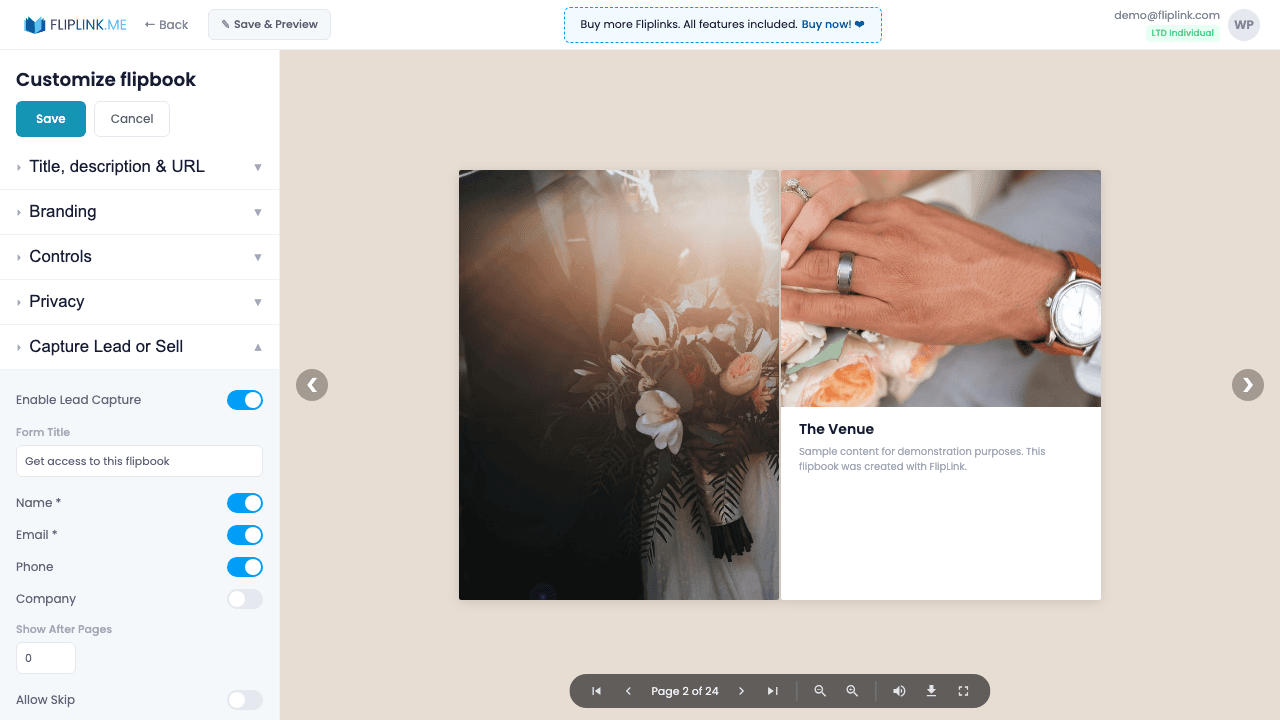
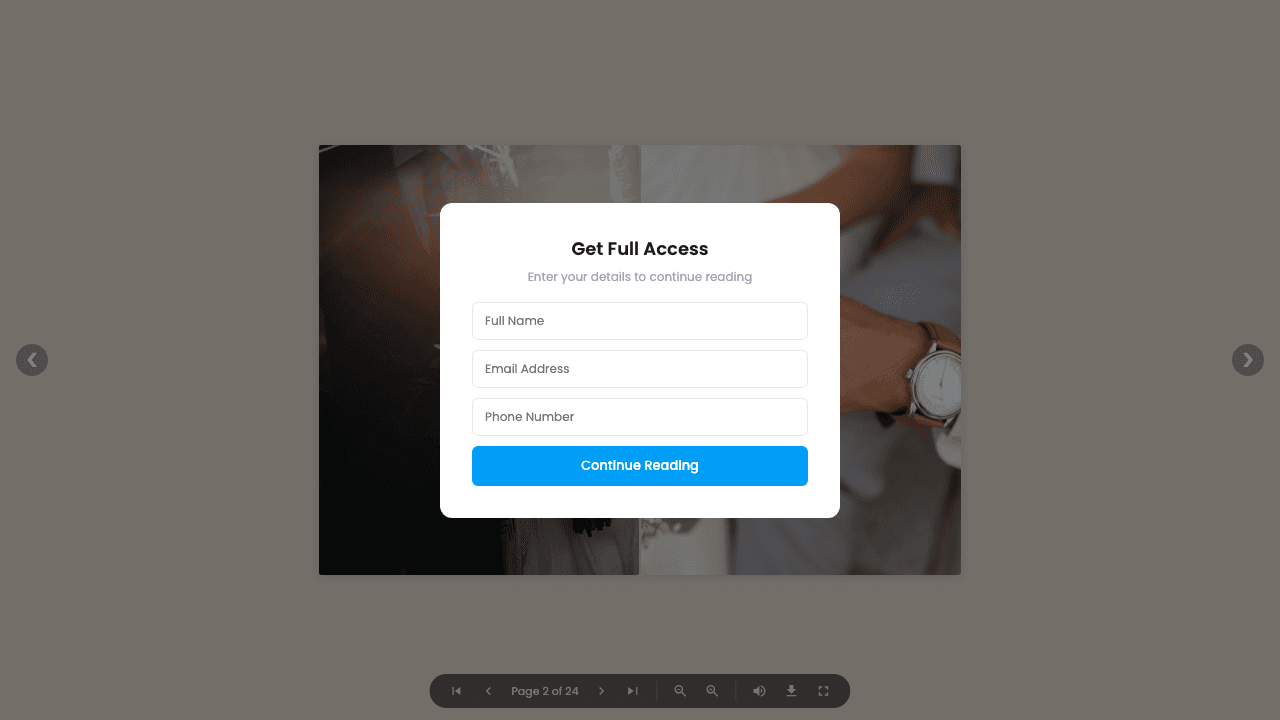
Turn every viewer into a lead with smart forms. Configure up to 7 fields — name, email, phone, company, date, and two custom fields — each with mandatory/optional toggles. Verify emails with OTP codes, restrict access to an allowlist of up to 500 emails, let viewers optionally skip the form, or gate content after a specific page number. Upload a Preview PDF so viewers can see content quality before submitting their information.
Live Demos
Lead Capture — All Fields
FlipbookWhat to look for: This flipbook requires lead information before viewing. A lead capture form with all 7 fields appears. All fields are mandatory — visitors must complete every field to access the content.
Lead Capture — Email OTP Verification
FlipbookWhat to look for: This flipbook includes email verification. After entering your email, you'll receive a one-time password (OTP) to verify your identity before accessing the content.
Document — Lead Capture
DocumentWhat to look for: This document has a lead capture overlay. Visitors must submit their information before the document content becomes accessible.
What's Included
7 customizable form fields
Configure up to 7 fields including name, email, phone, company, date, and two custom fields. Set each as mandatory or optional.
Email OTP verification
Verify leads with a 4-digit or 6-digit one-time password sent to their email. Auto-focusing input fields make the experience smooth.
Content gating by page
Let viewers preview a set number of pages before the lead form appears, giving them a taste of quality before sharing their info.
Email allowlist
Restrict form submissions to up to 500 specific email addresses. Only approved emails can access gated content — perfect for internal documents.
Privacy policy link
Add a link to your privacy policy that appears on the lead form, ensuring compliance with GDPR and other data protection regulations.
What You Need
Cannot be used with Sale Mode
Lead Capture and Sale mode are mutually exclusive — a publication can either collect leads or sell access, but not both at the same time.
Free: Pdf To Flipbook
Turn your PDF into a beautiful 3D page-flipping flipbook.
Try it free — no sign-up neededTry Lead Capture Free
All features included in the free trial. No credit card required.
Related Features
Sharing & Distribution
Share your flipbook or document anywhere — direct link, QR code, website embed, or across 15+ social platforms with one click.
Custom Domains
Add unlimited custom domains with auto-provisioned SSL certificates to your flipbooks — no restrictions, no extra fees, full branding.
Lead Management
View, search, filter, and export every lead across all publications — track sources, manage contacts, and sync to your CRM or email marketing list.
Pay Once, Use Forever
10, 50 or 100 flipbooks · All 35 features · Unlimited domains
No feature gates. Every Lifetime Deal tier unlocks all 35 features.
- Every feature unlocked — no feature gates
- Stackable — buy more codes anytime
- Replaceable — swap old for new
- Unlimited custom domains (CNAME)
- No recurring fees, ever
Frequently Asked Questions
What information can I collect with lead capture forms?
FlipLink supports up to 7 customizable fields including name, email, phone, company, job title, and custom fields. You can also enable OTP email verification and email allowlists.
Can I require lead capture before viewing?
Yes. You can set the form to appear before the document loads (gated) or after a specific number of pages viewed.
Where do captured leads go?
All leads are stored in your FlipLink dashboard under Lead Management. You can export them as CSV or connect via Zapier/webhook integrations.
Ready to Transform
Your PDFs?
Join thousands of businesses using FlipLink to create engaging, interactive content from their PDFs. Start free — no credit card required.