
Create Flipbooks
Turn any PDF into a stunning 3D flipbook with realistic page-flip animations, WebGL rendering, and mobile-ready sharing in seconds.
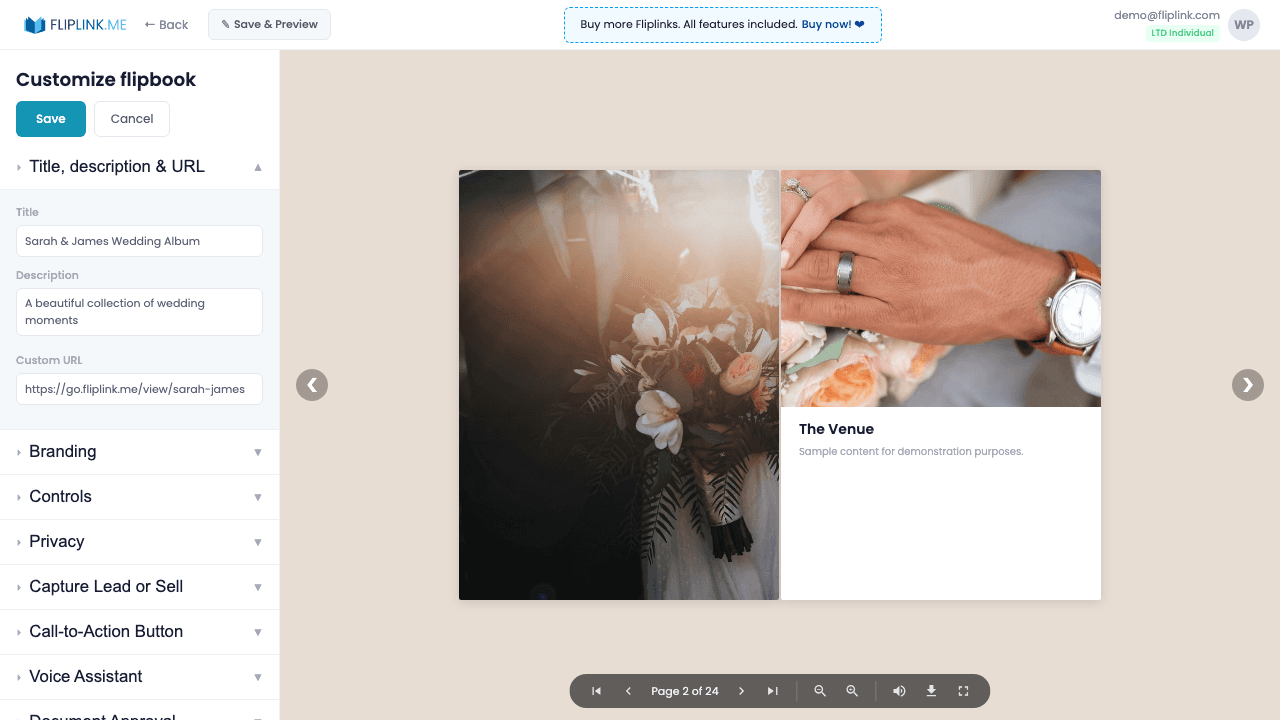
Overview
FlipLink's 3D flipbook creator transforms any PDF into an immersive reading experience. Powered by Three.js and WebGL, your PDFs get realistic page-turning animations that make viewers feel like they're holding a physical book. Upload single or multiple PDFs, choose between paperback and hardcover styles, adjust page thickness from flat to thick, and add page-flip sound effects for a truly tactile digital experience. Templates let you save your perfect configuration and reuse it for consistent branding across all your publications.
What's Included
3D page-flip animation
Powered by Three.js and WebGL, your PDFs get realistic page-turning animations that make viewers feel like they're holding a physical book.
Multi-file upload
Upload multiple PDF files at once and combine them into a single flipbook, streamlining the creation process for large publications.
Template-based creation
Select from your saved templates during creation to instantly inherit all branding, lead capture, and privacy settings.
Cover type selection
Choose between paperback and hard cover styles with adjustable page thickness from flat to thick for the perfect look.
Page-flip sound effects
Add realistic start-flip and end-flip sound effects for a tactile, immersive reading experience that delights your audience.
Free: Pdf To Flipbook
Turn your PDF into a beautiful 3D page-flipping flipbook.
Try it free — no sign-up neededTry Create Flipbooks Free
All features included in the free trial. No credit card required.
Related Features
Create Documents
Share PDFs as scrollable online documents with a clean, professional viewer powered by PDF.js — searchable, responsive, and brandable.
Replace PDF
Update your PDF without losing your link, settings, analytics, or leads. Same URL, new content — perfect for catalogs and proposals.
Duplicate Publication
Clone any flipbook or document instantly with all branding, lead capture, and privacy settings intact.
eBook Maker — built for Create Flipbooks
See how FlipLink turns your PDF into an interactive, hosted eBook in 60 seconds.
Pay Once, Use Forever
10, 50 or 100 flipbooks · All 35 features · Unlimited domains
No feature gates. Every Lifetime Deal tier unlocks all 35 features.
- Every feature unlocked — no feature gates
- Stackable — buy more codes anytime
- Replaceable — swap old for new
- Unlimited custom domains (CNAME)
- No recurring fees, ever
Frequently Asked Questions
What file formats can I upload to create a flipbook?
FlipLink accepts PDF files up to 150 MB. You can upload single or multiple PDFs and combine them into one flipbook.
Does the flipbook work on mobile devices?
Yes. FlipLink flipbooks are fully responsive and work on all modern browsers, including mobile phones and tablets, using WebGL and Three.js rendering.
Can I customize the look of my flipbook?
Absolutely. You can choose between paperback and hardcover styles, adjust page thickness, add page-flip sound effects, set custom backgrounds, and upload your own logo.
Ready to Transform
Your PDFs?
Join thousands of businesses using FlipLink to create engaging, interactive content from their PDFs. Start free — no credit card required.