
Lead Management
View, search, filter, and export every lead across all publications — track sources, manage contacts, and sync to your CRM or email marketing list.
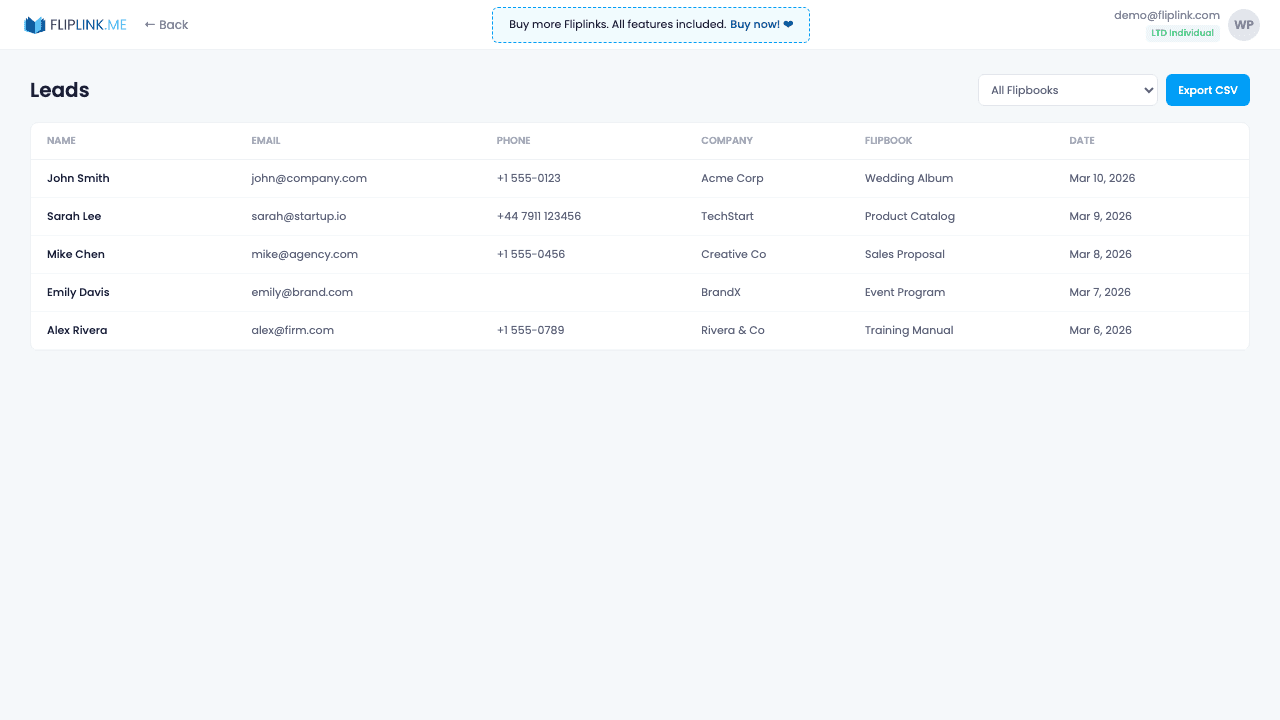
Overview
View all captured leads in an interactive spreadsheet with search, multi-column sorting, and publication filtering. Export to CSV with one click. See verification status (OTP-verified vs. unverified), submission timestamps, and which publication captured each lead. Combined with Google Sheets sync, your lead data flows automatically to your existing workflows.
What's Included
Interactive spreadsheet view
Browse all captured leads in a sortable, searchable table with columns for every form field, verification status, and submission time.
Filter by publication
Narrow down leads to a specific publication or view them all together. Quickly find leads from your latest campaign.
CSV export
Download all your lead data as a CSV file with one click for import into your CRM, email marketing tool, or spreadsheet.
Email verification status
See at a glance which leads verified their email via OTP and which didn't, helping you prioritize the most engaged contacts.
Multi-column sorting
Sort leads by any column — name, email, date, publication, or verification status — to find exactly what you need.
Try Lead Management Free
All features included in the free trial. No credit card required.
Related Features
Sharing & Distribution
Share your flipbook or document anywhere — direct link, QR code, website embed, or across 15+ social platforms with one click.
Custom Domains
Add unlimited custom domains with auto-provisioned SSL certificates to your flipbooks — no restrictions, no extra fees, full branding.
Lead Capture
Gate your flipbook or document behind a customizable lead capture form and turn every viewer into a qualified, trackable lead.
Pay Once, Use Forever
10, 50 or 100 flipbooks · All 35 features · Unlimited domains
No feature gates. Every Lifetime Deal tier unlocks all 35 features.
- Every feature unlocked — no feature gates
- Stackable — buy more codes anytime
- Replaceable — swap old for new
- Unlimited custom domains (CNAME)
- No recurring fees, ever
Frequently Asked Questions
Can I export my collected leads?
Yes. Export leads as CSV files from the Lead Management section of your dashboard.
Can I integrate leads with my CRM?
Yes. Use Zapier, webhooks, or Google Sheets sync to automatically send leads to your CRM or other tools.
Ready to Transform
Your PDFs?
Join thousands of businesses using FlipLink to create engaging, interactive content from their PDFs. Start free — no credit card required.