
Capture de prospects
Verrouille ton flipbook ou document derrière un formulaire de capture de prospects personnalisable et transforme chaque lecteur en prospect qualifié et traçable.
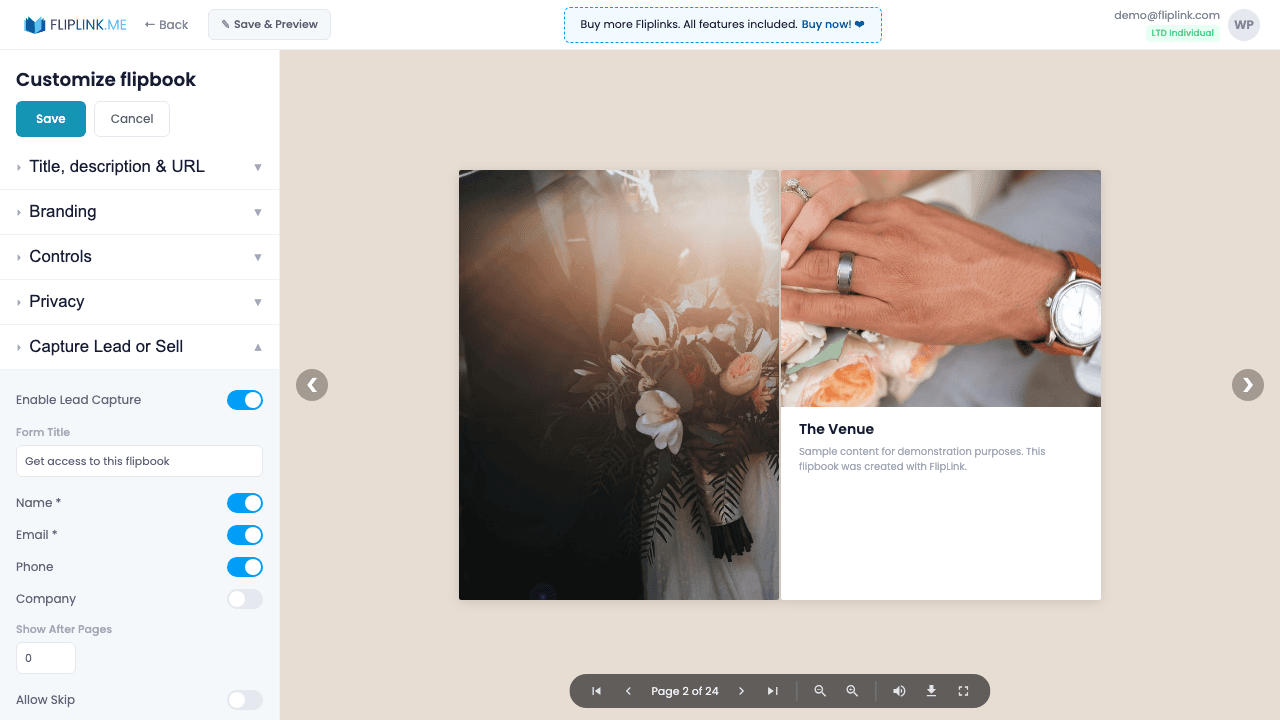
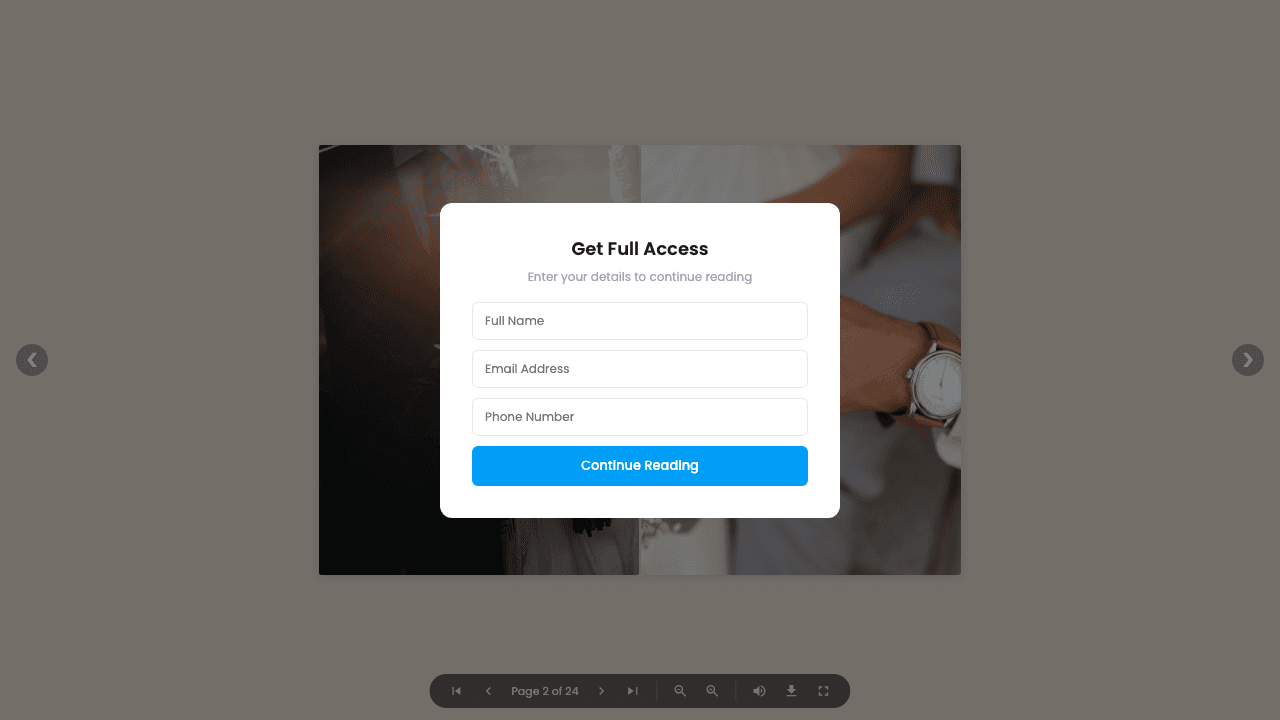
Aperçu
Transforme chaque lecteur en prospect grâce à des formulaires intelligents. Configure jusqu'à 7 champs — nom, e-mail, téléphone, société, date et deux champs personnalisés — chacun pouvant être obligatoire ou facultatif. Vérifie les adresses e-mail par code à usage unique, limite l'accès à une liste de 500 adresses autorisées au maximum, laisse tes lecteurs passer le formulaire s'ils le souhaitent, ou verrouille le contenu à partir d'une page précise. Téléverse un PDF d'aperçu pour que tes lecteurs jugent de la qualité du contenu avant de laisser leurs coordonnées.
Démos en direct
Capture de prospects — tous les champs
FlipbookÀ quoi prêter attention : Ce flipbook exige des informations de prospect avant la consultation. Un formulaire de capture de prospects comportant les 7 champs s'affiche. Tous les champs sont obligatoires : le visiteur doit tous les remplir pour accéder au contenu.
Capture de prospects — vérification de l'e-mail par code OTP
FlipbookÀ quoi prêter attention : Ce flipbook inclut une vérification par e-mail. Après avoir saisi ton e-mail, tu reçois un code à usage unique (OTP) pour vérifier ton identité avant d'accéder au contenu.
Document — capture de prospects
DocumentÀ quoi prêter attention : Ce document est protégé par un formulaire de capture de prospects. Les visiteurs doivent envoyer leurs informations avant que le contenu du document devienne accessible.
Ce qui est inclus
7 champs de formulaire personnalisables
Configure jusqu'à 7 champs : nom, e-mail, téléphone, société, date et deux champs personnalisés. Définis chacun comme obligatoire ou facultatif.
Vérification de l'e-mail par code à usage unique
Vérifie tes prospects avec un code à usage unique à 4 ou 6 chiffres envoyé par e-mail. Les champs de saisie passent automatiquement au suivant, pour une expérience fluide.
Verrouillage du contenu par page
Laisse tes lecteurs consulter un nombre de pages défini avant l'apparition du formulaire, pour leur donner un aperçu de la qualité avant qu'ils partagent leurs coordonnées.
Liste d'e-mails autorisés
Limite les envois du formulaire à 500 adresses e-mail précises. Seules les adresses approuvées accèdent au contenu verrouillé — idéal pour tes documents internes.
Lien vers la politique de confidentialité
Ajoute sur le formulaire un lien vers ta politique de confidentialité, pour rester en conformité avec le RGPD et les autres réglementations sur la protection des données.
Ce dont tu as besoin
Incompatible avec le mode Vente
La Capture de prospects et le mode Vente s'excluent mutuellement — une publication peut soit collecter des prospects, soit vendre l'accès, mais pas les deux en même temps.
Free: Pdf To Flipbook
Turn your PDF into a beautiful 3D page-flipping flipbook.
Try it free — no sign-up neededEssaie Capture de prospects gratuitement
Toutes les fonctionnalités incluses dans l'essai gratuit. Sans carte bancaire.
Fonctionnalités associées
Partage et distribution
Partage ton flipbook ou document n'importe où — lien direct, QR code, intégration sur un site web ou sur plus de 15 plateformes sociales en un clic.
Domaines personnalisés
Ajoute des domaines personnalisés illimités avec des certificats SSL provisionnés automatiquement à tes flipbooks — aucune restriction, aucuns frais supplémentaires, une image de marque complète.
Gestion des prospects
Visualise, recherche, filtre et exporte chaque prospect de toutes tes publications — suis les sources, gère tes contacts et synchronise-les avec ton CRM ou ta liste d'e-mailing.
Paie une fois, utilise pour toujours
10, 50 ou 100 flipbooks · Les 35 fonctionnalités · Domaines illimités
Aucun palier. Aucune restriction de fonctionnalité. Chaque code de l'offre à vie débloque tout.
- Chaque fonctionnalité débloquée — sans limites
- Cumulable — achète plus de codes quand tu veux
- Remplaçable — échange l'ancien contre le nouveau
- Domaines personnalisés illimités (CNAME)
- Aucuns frais récurrents, jamais
Questions fréquentes
What information can I collect with lead capture forms?
FlipLink supports up to 7 customizable fields including name, email, phone, company, job title, and custom fields. You can also enable OTP email verification and email allowlists.
Can I require lead capture before viewing?
Yes. You can set the form to appear before the document loads (gated) or after a specific number of pages viewed.
Where do captured leads go?
All leads are stored in your FlipLink dashboard under Lead Management. You can export them as CSV or connect via Zapier/webhook integrations.
Termes de glossaire associés
Prêt à transformer
tes PDF ?
Rejoins des milliers d'entreprises qui utilisent FlipLink pour créer du contenu interactif et engageant à partir de leurs PDF. Commence gratuitement — aucune carte bancaire requise.