
التقاط العملاء المحتملين
احمِ كتابك التفاعلي أو مستندك بنموذج قابل للتخصيص لالتقاط العملاء المحتملين، وحوّل كل قارئ إلى عميل مؤهّل وقابل للتتبّع.
نظرة عامة
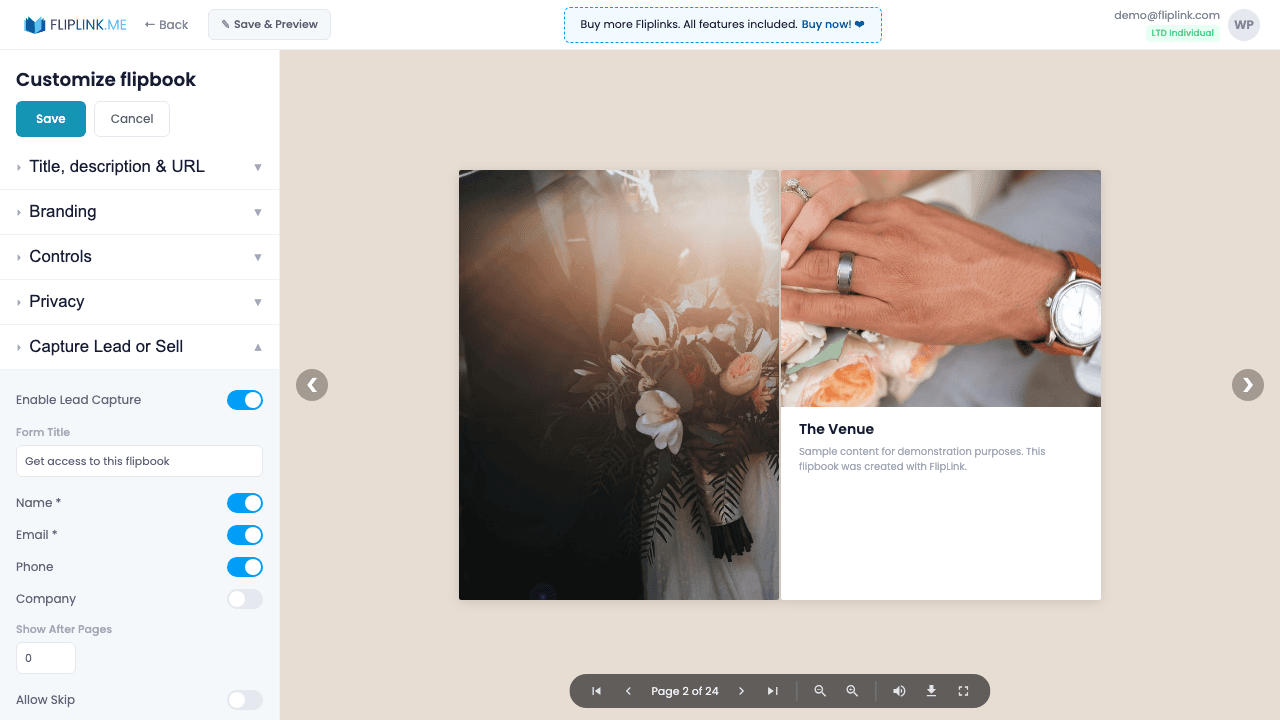
Turn every viewer into a lead with smart forms. Configure up to 7 fields — name, email, phone, company, date, and two custom fields — each with mandatory/optional toggles. Verify emails with OTP codes, restrict access to an allowlist of up to 500 emails, let viewers optionally skip the form, or gate content after a specific page number. Upload a Preview PDF so viewers can see content quality before submitting their information.
عروض حيّة
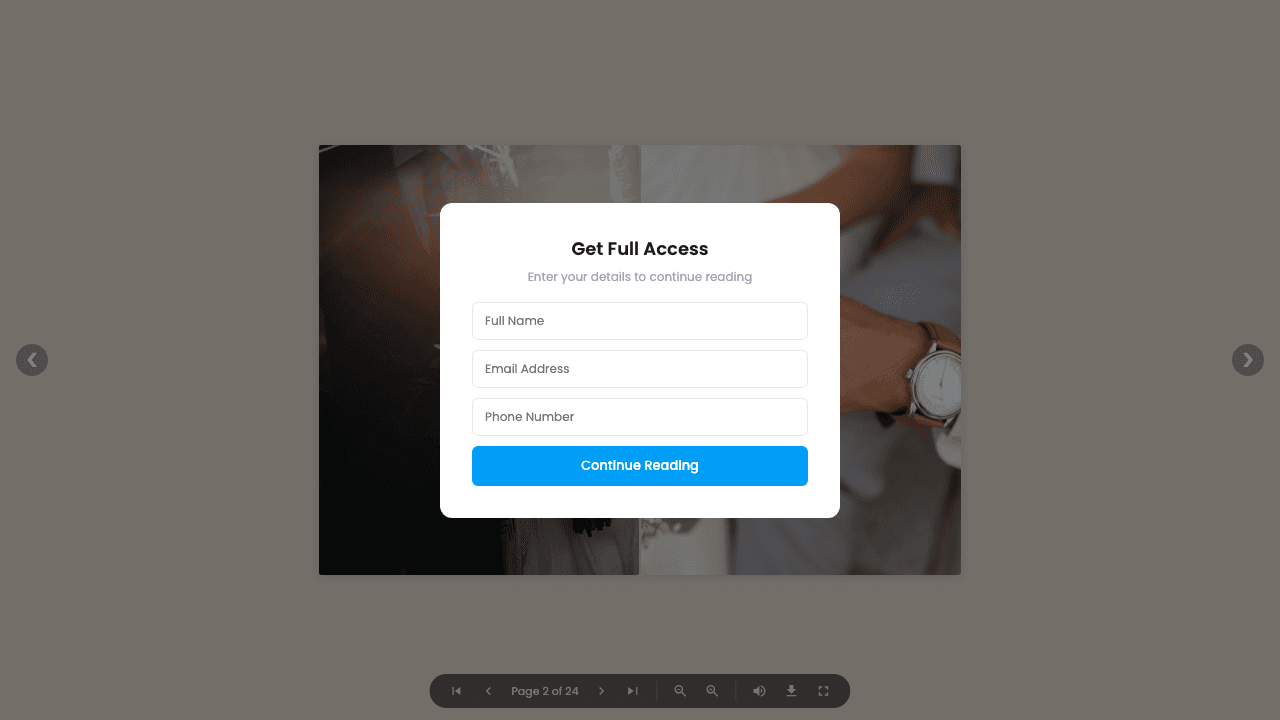
Lead Capture — All Fields
كتاب تفاعليما الذي تنتبه إليه: This flipbook requires lead information before viewing. A lead capture form with all 7 fields appears. All fields are mandatory — visitors must complete every field to access the content.
Lead Capture — Email OTP Verification
كتاب تفاعليما الذي تنتبه إليه: This flipbook includes email verification. After entering your email, you'll receive a one-time password (OTP) to verify your identity before accessing the content.
Document — Lead Capture
مستندما الذي تنتبه إليه: This document has a lead capture overlay. Visitors must submit their information before the document content becomes accessible.
ما المتضمَّن
7 customizable form fields
Configure up to 7 fields including name, email, phone, company, date, and two custom fields. Set each as mandatory or optional.
Email OTP verification
Verify leads with a 4-digit or 6-digit one-time password sent to their email. Auto-focusing input fields make the experience smooth.
Content gating by page
Let viewers preview a set number of pages before the lead form appears, giving them a taste of quality before sharing their info.
Email allowlist
Restrict form submissions to up to 500 specific email addresses. Only approved emails can access gated content — perfect for internal documents.
Privacy policy link
Add a link to your privacy policy that appears on the lead form, ensuring compliance with GDPR and other data protection regulations.
ما تحتاجه
لا يمكن استخدامه مع وضع البيع
التقاط العملاء المحتملين ووضع البيع متعارضان — يمكن للمنشور الواحد إمّا جمع بيانات العملاء وإمّا بيع الوصول، لا الاثنين معاً.
Free: Pdf To Flipbook
Turn your PDF into a beautiful 3D page-flipping flipbook.
Try it free — no sign-up neededجرّب التقاط العملاء المحتملين مجاناً
كل الميزات مدمجة في التجربة المجانية. لا حاجة لبطاقة ائتمان.
ميزات ذات صلة
المشاركة والتوزيع
شارك كتابك التفاعلي أو مستندك في أي مكان — رابط مباشر، أو رمز QR، أو تضمين في الموقع، أو عبر أكثر من ١٥ منصة اجتماعية بنقرة واحدة.
النطاقات المخصصة
أضِف عدداً غير محدود من النطاقات المخصصة لكتبك التفاعلية مع شهادات SSL تُمنح تلقائياً — بلا قيود، وبلا رسوم إضافية، وبعلامة تجارية كاملة.
إدارة العملاء المحتملين
اعرض، وابحث، وفلتر، وصدّر كل عميل محتمل من جميع منشوراتك — تتبّع المصادر، وأدِر جهات الاتصال، وزامن بياناتك مع CRM أو قوائم التسويق البريدي.
ادفع مرة واحدة، واستخدم إلى الأبد
10 أو 50 أو 100 فليب بوك · كل الميزات الـ35 · نطاقات غير محدودة
بلا باقات. بلا قيود على الميزات. كل كود LTD يفتح كل شيء.
- كل ميزة مفتوحة — بلا حدود
- قابلة للتكديس — اشترِ أكواداً إضافية وقتما شئت
- قابلة للاستبدال — استبدل القديم بالجديد
- نطاقات مخصصة بلا حدود (CNAME)
- لا رسوم متكرّرة، إطلاقاً
الأسئلة الشائعة
What information can I collect with lead capture forms?
FlipLink supports up to 7 customizable fields including name, email, phone, company, job title, and custom fields. You can also enable OTP email verification and email allowlists.
Can I require lead capture before viewing?
Yes. You can set the form to appear before the document loads (gated) or after a specific number of pages viewed.
Where do captured leads go?
All leads are stored in your FlipLink dashboard under Lead Management. You can export them as CSV or connect via Zapier/webhook integrations.
هل أنت مستعد لتحويل
ملفاتك؟
انضمّ إلى آلاف الشركات التي تستخدم FlipLink لتحويل ملفاتها إلى محتوى جذّاب وتفاعلي. ابدأ مجاناً — بلا بطاقة ائتمان.