
How to Automate Your Entire Flipbook Publishing Workflow
Save hours by automating your flipbook publishing. From PDF upload to lead routing and notifications, automate every step.

Published on March 10, 2026 · 8 min read
Publishing flipbooks manually works fine when you have one or two documents a month. But when your team produces dozens of catalogs, reports, proposals, or magazines on a regular cadence, the repetitive steps add up fast. Uploading PDFs, configuring settings, capturing leads, notifying stakeholders — each task eats into time you could spend on higher-value work.
The good news: you can automate nearly every step of the flipbook publishing pipeline. This guide walks you through mapping your current workflow, identifying bottlenecks, and connecting FlipLink's automation tools to eliminate manual effort.
Map Your Current Publishing Workflow
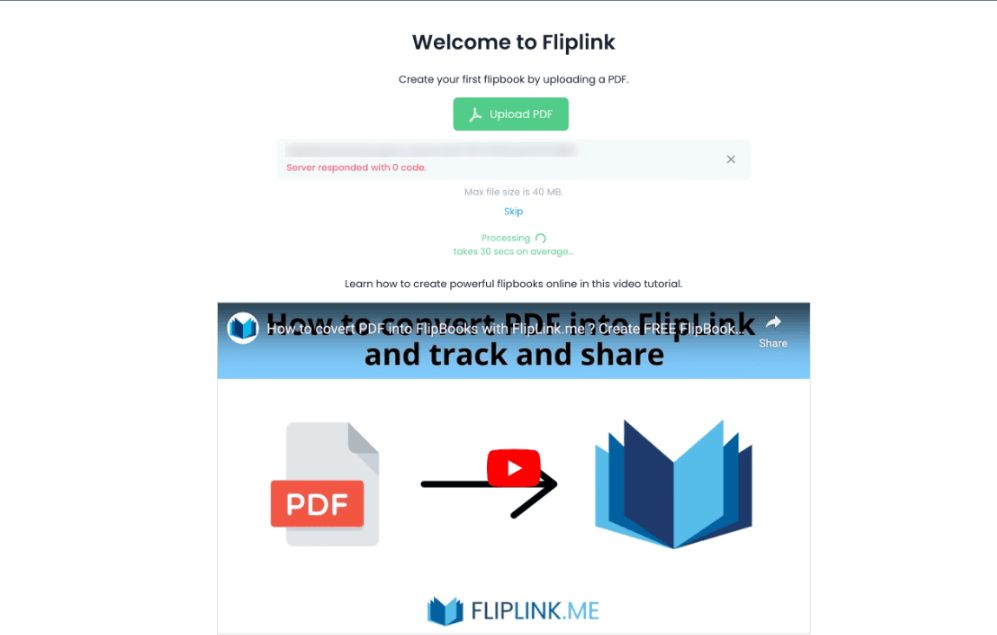
Before automating anything, document what you do today. A typical flipbook publishing workflow looks something like this:
- Design team exports a final PDF
- Marketing uploads the PDF to FlipLink
- Settings are configured — branding, lead capture, domain, sharing options
- Review happens internally before the link goes live
- Distribution — the flipbook URL is shared via email, social, or embedded on a website
- Lead follow-up — new leads are manually exported and added to a CRM
- Reporting — view and engagement data is checked periodically
Write down every step, who owns it, and how long it takes. Most teams discover they spend 30 to 60 minutes per flipbook on tasks that could be fully automated.
Identify Your Automation Opportunities
Not every step needs automation. Focus on the areas with the highest time savings and lowest risk:
| Step | Manual Time | Automation Potential |
|---|---|---|
| PDF upload | 5 min | High — API upload |
| Settings configuration | 10 min | High — templates |
| Lead capture setup | 5 min | High — templates |
| Internal review | 15 min | Medium — scheduled publishing |
| Distribution | 10 min | Medium — email automation |
| Lead routing to CRM | 15 min | High — webhooks |
| Reporting | 10 min | Medium — webhook analytics |
The biggest wins come from three areas: templated configuration, API-based uploads, and webhook-driven lead routing. Let's tackle each one.
Use Templates for Consistent Configuration
Every time you create a new flipbook with the same branding, lead capture form, and sharing settings, you're doing redundant work. FlipLink's template system lets you save a fully configured flipbook as a reusable starting point.
How to set up a publishing template
- Create a flipbook with your standard configuration — logo, colors, lead capture fields, privacy settings, custom domain
- Save it as a template with a descriptive name like "Q4 Product Catalog Template"
- For every new flipbook, start from that template instead of configuring from scratch
Templates preserve your lead capture settings, email notification rules, and branding. This alone eliminates 10 to 15 minutes of manual setup per flipbook and ensures every publication matches your brand standards.
Template strategy for teams
Create separate templates for each document type your team publishes:
- Sales proposals — lead capture enabled, password protection, limited sharing
- Marketing catalogs — open access, social sharing enabled, embedded CTA buttons
- Internal reports — email allowlist, no public sharing, view tracking on
- Event programs — lead capture with custom fields, background music enabled
Automate PDF Upload with the API
Manual uploads through the dashboard work fine for occasional use, but if your design team exports PDFs on a schedule, the FlipLink API lets you automate the entire upload-to-publish pipeline.
A typical API-based workflow
- Your design tool or CI/CD pipeline exports a final PDF
- A script calls the FlipLink API to upload the PDF and apply a template
- The flipbook is created with all settings pre-configured
- A webhook fires to notify your team that the new flipbook is live
This approach is especially powerful for teams that publish regularly — think monthly newsletters, weekly catalogs, or quarterly reports. The PDF goes from export to live flipbook without anyone logging into a dashboard.
For a deeper dive into API setup, see our guide on using the FlipLink API for integrations.
Set Up Webhook Notifications for Views and Leads
One of the most impactful automations is real-time notification when someone views your flipbook or submits a lead capture form. Instead of checking the dashboard manually, webhooks push data to your systems the moment an event occurs.
What you can automate with webhooks
- New lead alert — Send a Slack message to your sales team when a prospect fills out a lead form
- View notification — Trigger an email to the account owner when a proposal is opened
- Engagement tracking — Log page views and time-on-page to your analytics platform
- Download alerts — Get notified when someone downloads a gated PDF
Webhooks send structured JSON data to any URL you specify, which means they work with virtually any tool that accepts incoming webhooks — Slack, Zapier, Make, Pabbly, or your own backend.
For step-by-step webhook configuration, check out how to set up webhooks for real-time lead data.
Free: Pdf To Flipbook
Turn your PDF into a beautiful 3D page-flipping flipbook.
Try it free — no sign-up neededRoute Leads Automatically to Your CRM
The manual process of exporting leads from FlipLink and importing them into your CRM is a workflow killer. It introduces delays, creates data entry errors, and means your sales team never gets leads in real time.
Automated lead routing options
Option 1: Direct webhook to CRM — If your CRM accepts incoming webhooks (HubSpot, Salesforce, Pipedrive), point FlipLink's lead webhook directly at your CRM's API endpoint.
Option 2: Middleware automation — Use Zapier, Make, or Pabbly Connect to receive the webhook and route the lead to your CRM with field mapping, deduplication, and enrichment steps in between. Our guide on connecting FlipLink to Zapier, Pabbly, and Make covers this in detail.
Option 3: Google Sheets bridge — For simpler setups, route leads to a Google Sheet first, then use your CRM's native Google Sheets integration to sync contacts automatically.
Lead routing best practices
- Map FlipLink form fields to your CRM's contact fields before setting up the integration
- Include the flipbook name and URL in the CRM record so sales reps have context
- Tag leads with the source flipbook for attribution reporting
- Set up deduplication rules so returning visitors don't create duplicate contacts
Automate Email Notifications
FlipLink's email template system lets you configure automatic email notifications triggered by flipbook events. Use these to keep stakeholders informed without manual follow-up:
- Internal team alerts — Notify your sales team when a high-value proposal is viewed
- Lead confirmation emails — Send an automatic thank-you to leads who submit a form
- Scheduled digests — Receive daily or weekly summaries of flipbook engagement
Pair email notifications with webhooks for a complete notification system. Webhooks handle real-time routing to external tools, while email templates handle human-readable alerts for your team.
Schedule and Batch Your Publishing
For teams with a content calendar, batch your flipbook creation to maximize efficiency:
- Batch PDF exports — Coordinate with your design team to deliver all PDFs on a set day
- Use templates — Apply the right template to each document type
- API batch upload — Upload multiple PDFs in a single script run
- Pre-configure distribution — Set up email campaigns and embed codes in advance
- Stagger go-live times — Schedule publications to go live at different times for maximum engagement
This batched approach turns what used to be a week of scattered publishing tasks into a single focused session.
Measure Your Automation ROI
After implementing these automations, track the time savings:
- Before: Minutes per flipbook multiplied by flipbooks per month
- After: Time spent on one-time setup plus minimal ongoing oversight
- Savings: Most teams report 70 to 85 percent reduction in publishing time
Beyond time savings, automation improves consistency (every flipbook matches brand standards), speed-to-lead (prospects are routed to sales in seconds, not hours), and data accuracy (no manual data entry errors).
Start Automating Today
You don't need to automate everything at once. Start with the highest-impact change for your team:
- If you publish frequently — Set up templates first
- If lead response time matters — Configure webhooks and CRM routing first
- If you have a development team — Start with the API for end-to-end automation
Every automation you add compounds over time. A template saves 10 minutes per flipbook. A webhook saves 15 minutes of manual lead export. An API upload saves 5 minutes of dashboard work. Multiply those savings across dozens of flipbooks per month and the hours add up quickly.
Ready to automate your flipbook publishing workflow? Create your free FlipLink account and explore the automation features included in the lifetime deal. Check out our pricing page for details on what's included.
Build it with the API
Ready to wire this into your own stack? The live API reference lists every endpoint with parameters, code samples, and an in-browser Try-It console you can call right now.
Ready to Create Your First Flipbook?
Transform your PDFs into interactive flipbooks and documents. Get started with FlipLink's Lifetime Deal — lifetime access that starts at just $39.
Pay Once, Use Forever
10, 50 or 100 flipbooks · All 35 features · Unlimited domains
No feature gates. Every Lifetime Deal tier unlocks all 35 features.
- Every feature unlocked — no feature gates
- Stackable — buy more codes anytime
- Replaceable — swap old for new
- Unlimited custom domains (CNAME)
- No recurring fees, ever
Related Reading
5 Ways Templates Speed Up Your Digital Publishing Workflow
Save hours on every publication by using flipbook templates. Learn 5 practical ways templates streamline your digital publishing process.
Save Time with Flipbook Templates: A Complete Guide
Create reusable flipbook templates to speed up your workflow — set branding, settings, and design once, use everywhere.
Automate Flipbook Publishing in CI/CD with the FlipLink CLI
Automate flipbook publishing in any CI/CD pipeline with the FlipLink CLI — create, publish, capture the URL, and fail fast on exit codes.