
Save as Template
Save your branding, lead capture, and privacy settings as a reusable template — apply it instantly every time you create a new flipbook or document.
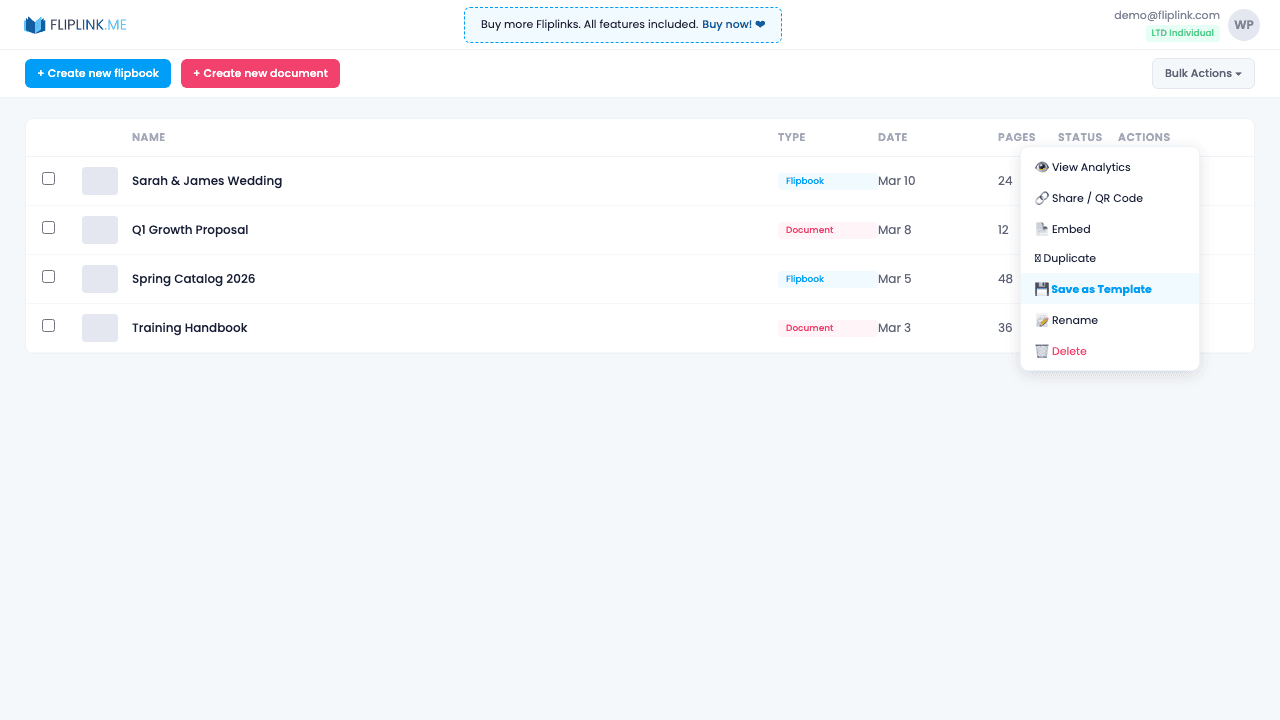
Overview
Mark any fully-configured publication as a template, then select it when creating new flipbooks or documents. All settings are inherited — branding, lead capture fields, CTA buttons, email templates, privacy settings, and automation rules. Teams can maintain brand consistency by sharing templates, and you can remove template status at any time without affecting the original publication.
What's Included
Mark as reusable template
Turn any fully-configured publication into a template with one click from the actions menu. It remains a working publication too.
Select during creation
When creating a new flipbook or document, pick a template from the dropdown to start with all settings pre-configured.
Inherit all settings
Templates carry over branding, lead capture fields, CTA buttons, email templates, privacy settings, and automation rules.
Remove template status
Unmark a template at any time without affecting the original publication or any publications created from it.
Try Save as Template Free
All features included in the free trial. No credit card required.
Related Features
Create Flipbooks
Turn any PDF into a stunning 3D flipbook with realistic page-flip animations, WebGL rendering, and mobile-ready sharing in seconds.
Create Documents
Share PDFs as scrollable online documents with a clean, professional viewer powered by PDF.js — searchable, responsive, and brandable.
Replace PDF
Update your PDF without losing your link, settings, analytics, or leads. Same URL, new content — perfect for catalogs and proposals.
Pay Once, Use Forever
10, 50 or 100 flipbooks · All 35 features · Unlimited domains
No feature gates. Every Lifetime Deal tier unlocks all 35 features.
- Every feature unlocked — no feature gates
- Stackable — buy more codes anytime
- Replaceable — swap old for new
- Unlimited custom domains (CNAME)
- No recurring fees, ever
Ready to Transform
Your PDFs?
Join thousands of businesses using FlipLink to create engaging, interactive content from their PDFs. Start free — no credit card required.