
Automation & Integrations
Automatically send captured leads to Google Sheets, Zapier, Make, or Pabbly via webhooks — zero manual data entry or CSV exports.
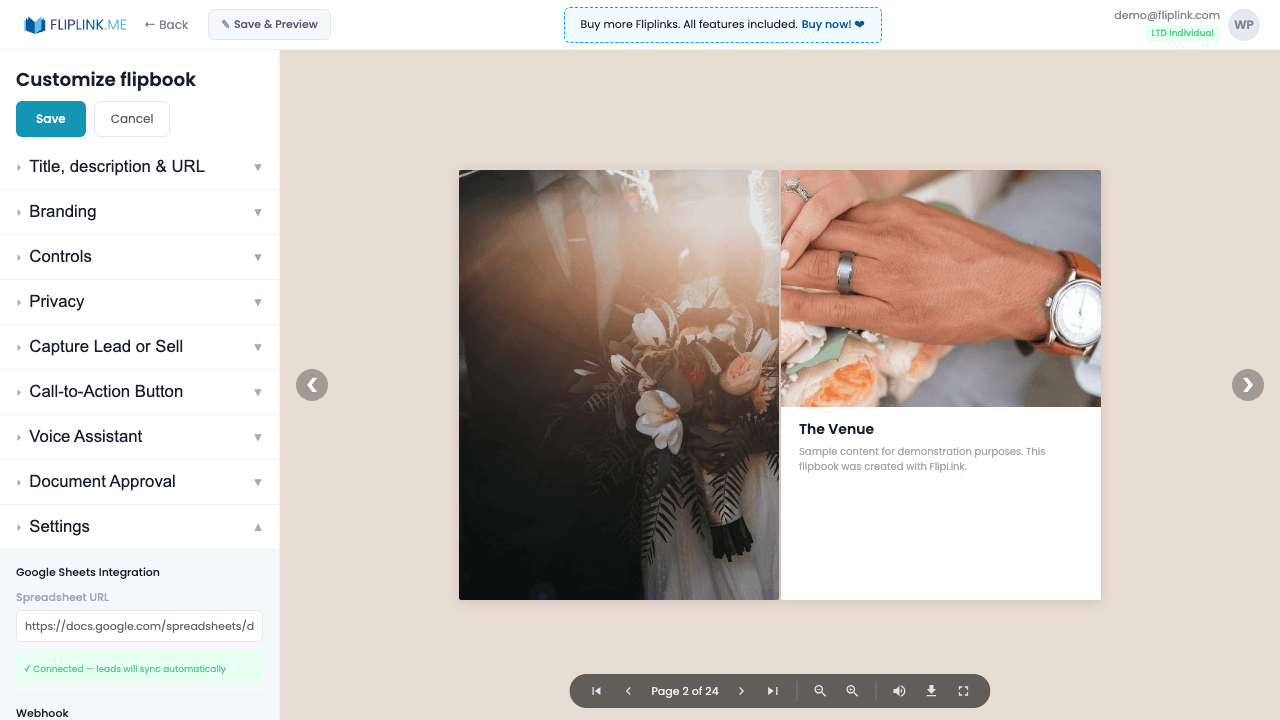
Overview
Automate your workflow with built-in integrations. Push leads automatically to Google Sheets in real-time. Trigger webhooks to Zapier, Make (Integromat), or Pabbly Connect for advanced automation — CRM updates, Slack notifications, email sequences, and more. Test webhooks directly from the settings panel.
What's Included
Google Sheets sync
Enter your Google Sheet URL, Sheet ID, and Sheet Name. Every new lead is automatically pushed as a new row in real-time.
Zapier webhook
Trigger Zapier automations when leads are captured — send to your CRM, email tool, Slack, or any of 5,000+ apps.
Make (Integromat) webhook
Connect to Make for advanced multi-step automation scenarios with conditional logic and data transformation.
Pabbly Connect webhook
Use FlipLink's private Pabbly app for affordable automation — sync leads, trigger notifications, and update databases.
Test webhook button
Test your webhook configuration directly from the settings panel to verify the connection before going live.
What You Need
Lead Capture enabled
Google Sheets sync, Pabbly webhooks, and Zapier/Make integrations are triggered when a lead is captured. Enable Lead Capture first so there is data to send.
Google Sheet (for Sheets sync)
To use Google Sheets sync, you need a publicly editable Google Sheet URL. FlipLink writes lead data directly to the sheet you specify.
Webhook URL (for Pabbly / Zapier / Make)
To use webhook integrations, configure a webhook URL in your Pabbly Connect, Zapier, or Make account and paste it into FlipLink.
Try Automation & Integrations Free
All features included in the free trial. No credit card required.
Related Features
Sharing & Distribution
Share your flipbook or document anywhere — direct link, QR code, website embed, or across 15+ social platforms with one click.
Custom Domains
Add unlimited custom domains with auto-provisioned SSL certificates to your flipbooks — no restrictions, no extra fees, full branding.
Lead Capture
Gate your flipbook or document behind a customizable lead capture form and turn every viewer into a qualified, trackable lead.
Use Cases for Automation & Integrations
Pay Once, Use Forever
10, 50 or 100 flipbooks · All 35 features · Unlimited domains
No feature gates. Every Lifetime Deal tier unlocks all 35 features.
- Every feature unlocked — no feature gates
- Stackable — buy more codes anytime
- Replaceable — swap old for new
- Unlimited custom domains (CNAME)
- No recurring fees, ever
Frequently Asked Questions
What integrations does FlipLink support?
FlipLink integrates with Zapier, Make, Pabbly Connect, Google Sheets, and supports custom webhooks for lead data automation.
Do I need Lead Capture enabled for integrations to work?
Yes. Integrations are triggered when a lead is captured. Enable Lead Capture first so there is data to send to your connected tools.
Ready to Transform
Your PDFs?
Join thousands of businesses using FlipLink to create engaging, interactive content from their PDFs. Start free — no credit card required.