
CTA Buttons
Add floating call-to-action buttons to your flipbooks and documents — drive clicks, signups, and conversions with customizable CTAs.
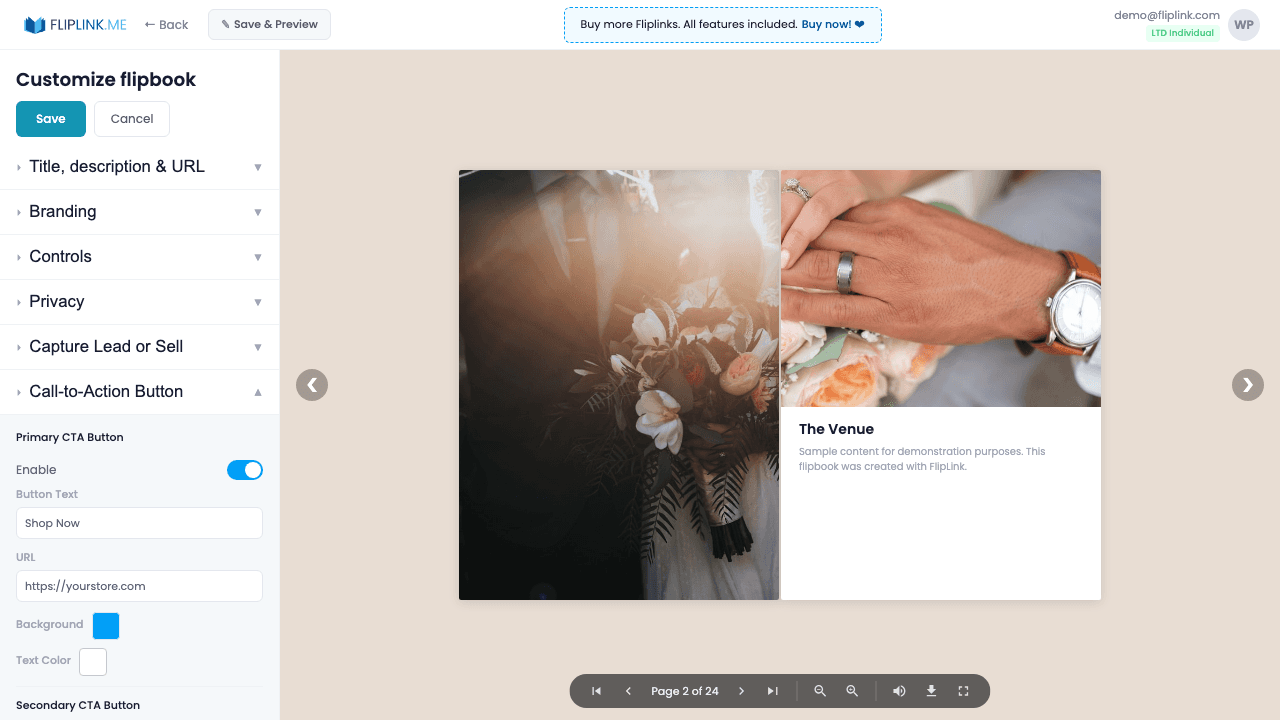
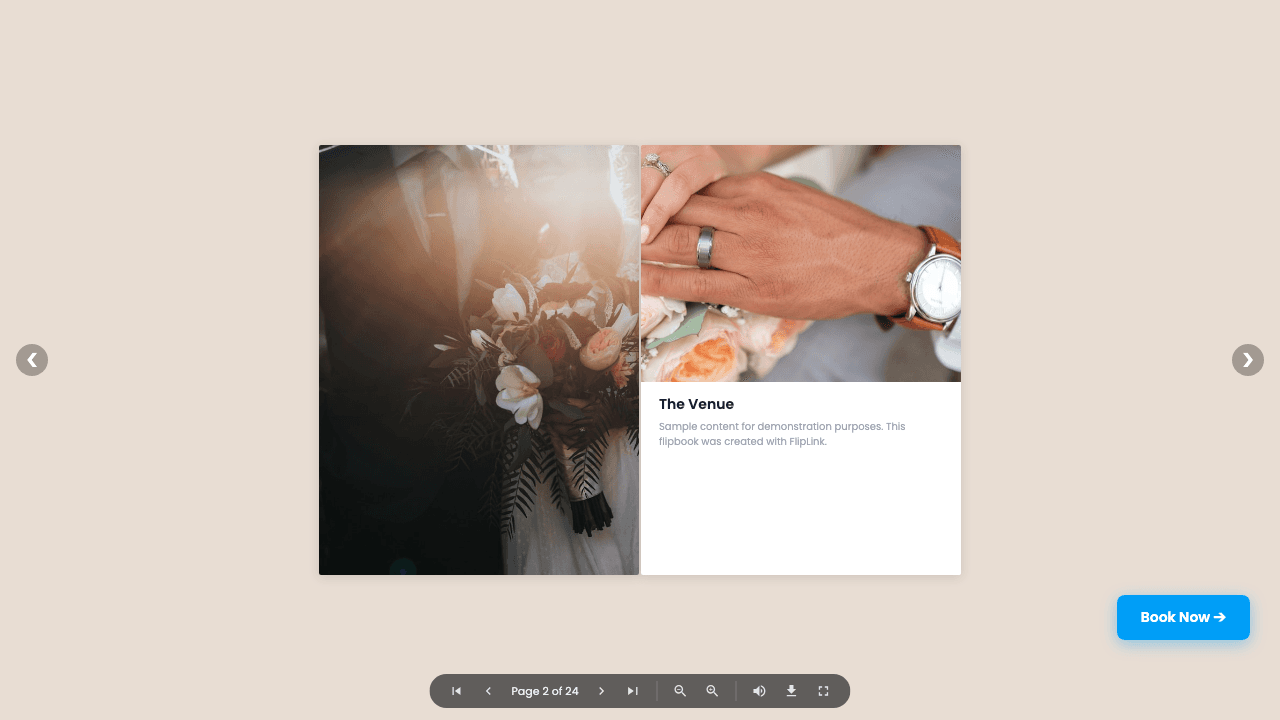
Overview
Add up to two floating call-to-action buttons in the viewer. Customize button text, background color, text color, and destination URL. Buttons appear at the top-right of the viewer and track clicks in your analytics dashboard. Use them to drive traffic to landing pages, signup forms, or product pages directly from your content.
Live Demo
CTA Buttons in Viewer
FlipbookWhat to look for: Notice the CTA buttons in the viewer toolbar. This demo has a 'Contact Us' button and a 'FAQs' button configured — click them to see the call-to-action in action.
What's Included
Two customizable CTA buttons
Add up to two floating call-to-action buttons in the viewer toolbar. Each button is independently configurable with its own style and link.
Custom colors and text
Set the background color, text color, and button text for each CTA to match your brand and drive the action you want.
Destination URL
Link each button to any URL — landing pages, signup forms, product pages, calendars, or anything that moves viewers down your funnel.
Click tracking analytics
Every CTA click is tracked in your analytics dashboard so you can measure engagement and conversion from your content.
Free: Brochure Maker
Transform your PDF brochure into an interactive digital experience.
Try it free — no sign-up neededTry CTA Buttons Free
All features included in the free trial. No credit card required.
Related Features
Sharing & Distribution
Share your flipbook or document anywhere — direct link, QR code, website embed, or across 15+ social platforms with one click.
Custom Domains
Add unlimited custom domains with auto-provisioned SSL certificates to your flipbooks — no restrictions, no extra fees, full branding.
Lead Capture
Gate your flipbook or document behind a customizable lead capture form and turn every viewer into a qualified, trackable lead.
Pay Once, Use Forever
10, 50 or 100 flipbooks · All 35 features · Unlimited domains
No feature gates. Every Lifetime Deal tier unlocks all 35 features.
- Every feature unlocked — no feature gates
- Stackable — buy more codes anytime
- Replaceable — swap old for new
- Unlimited custom domains (CNAME)
- No recurring fees, ever
Frequently Asked Questions
What types of CTA buttons can I add?
You can add custom CTA buttons that link to any URL — your website, store, signup page, or any external link.
Can I customize the CTA button appearance?
Yes. You can set custom text, colors, and placement for your CTA buttons.
Ready to Transform
Your PDFs?
Join thousands of businesses using FlipLink to create engaging, interactive content from their PDFs. Start free — no credit card required.