
Digital Menus That Update Instantly
The Problem
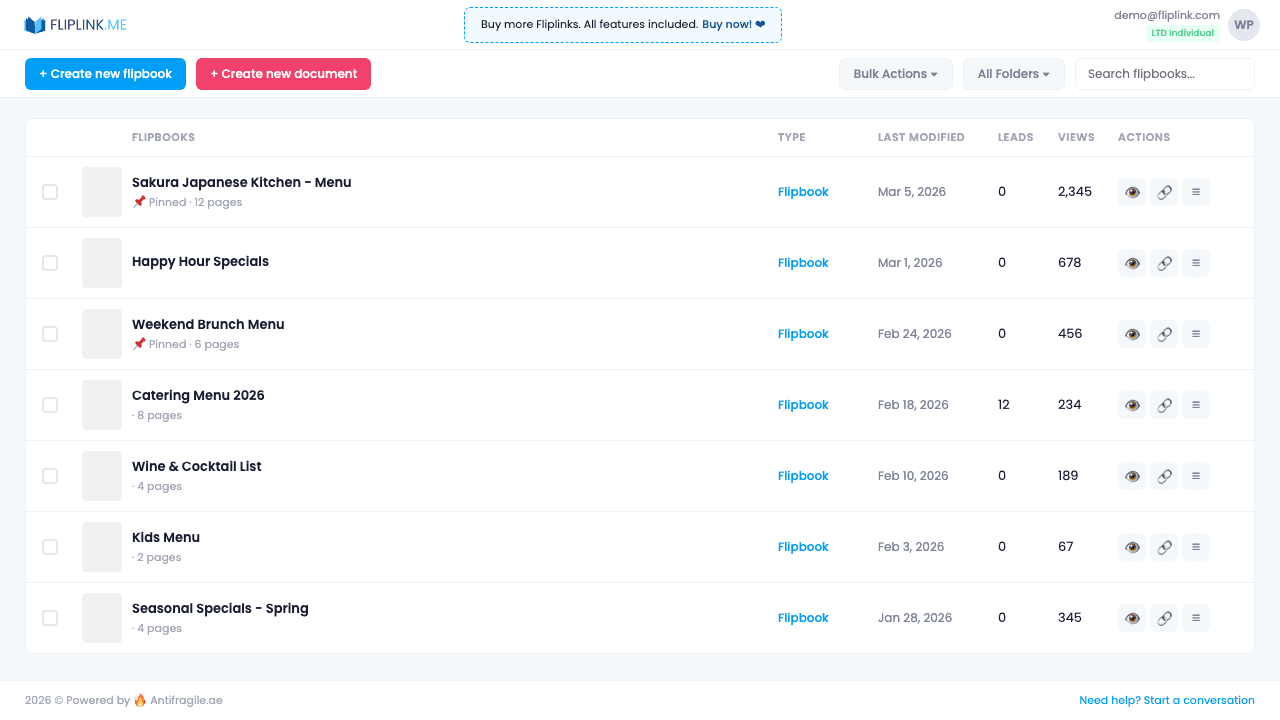
Restaurants need to update menus frequently for seasonal items, price changes, and specials. Reprinting is expensive, and static PDF menus on websites feel dated. QR code menus often lead to clunky PDF viewers.
The FlipLink Solution
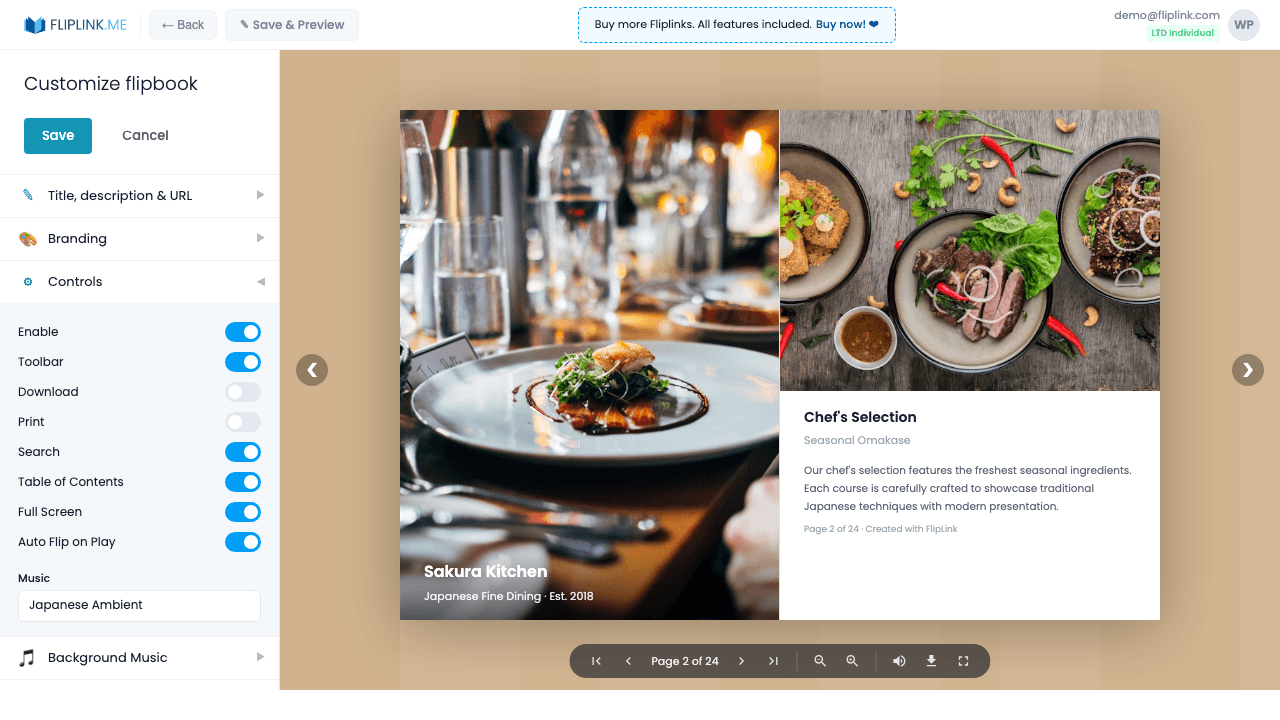
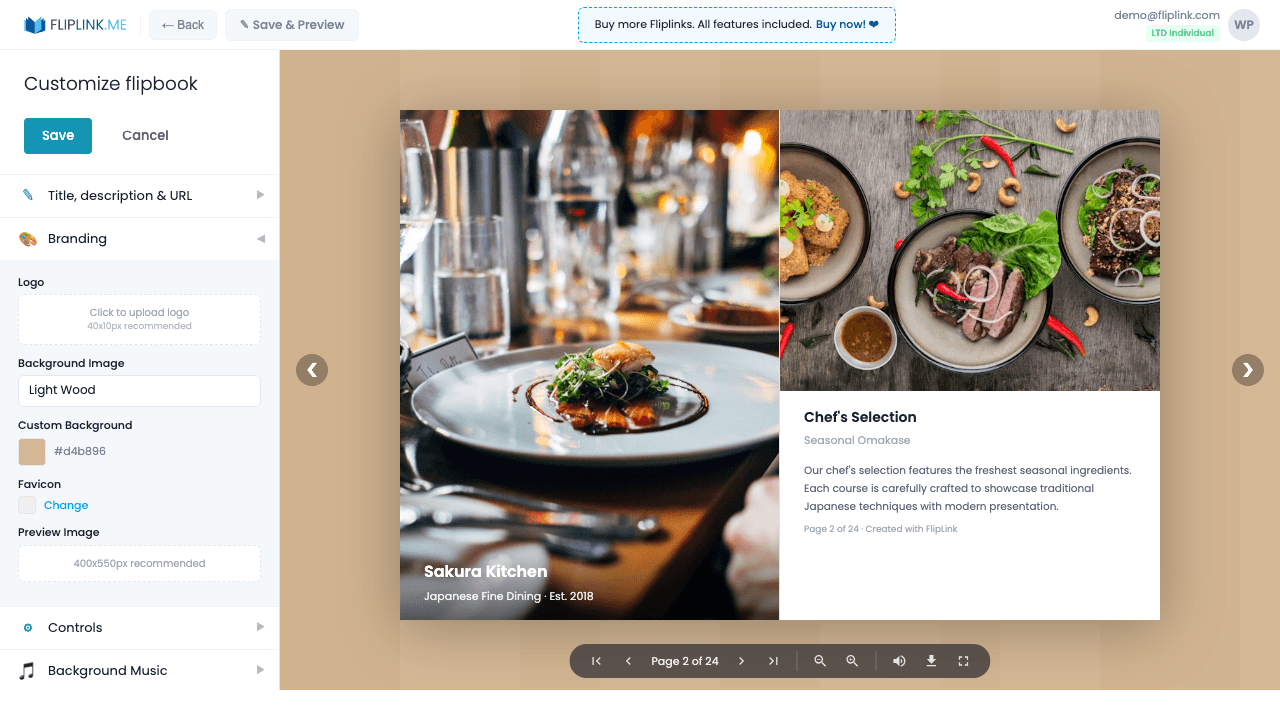
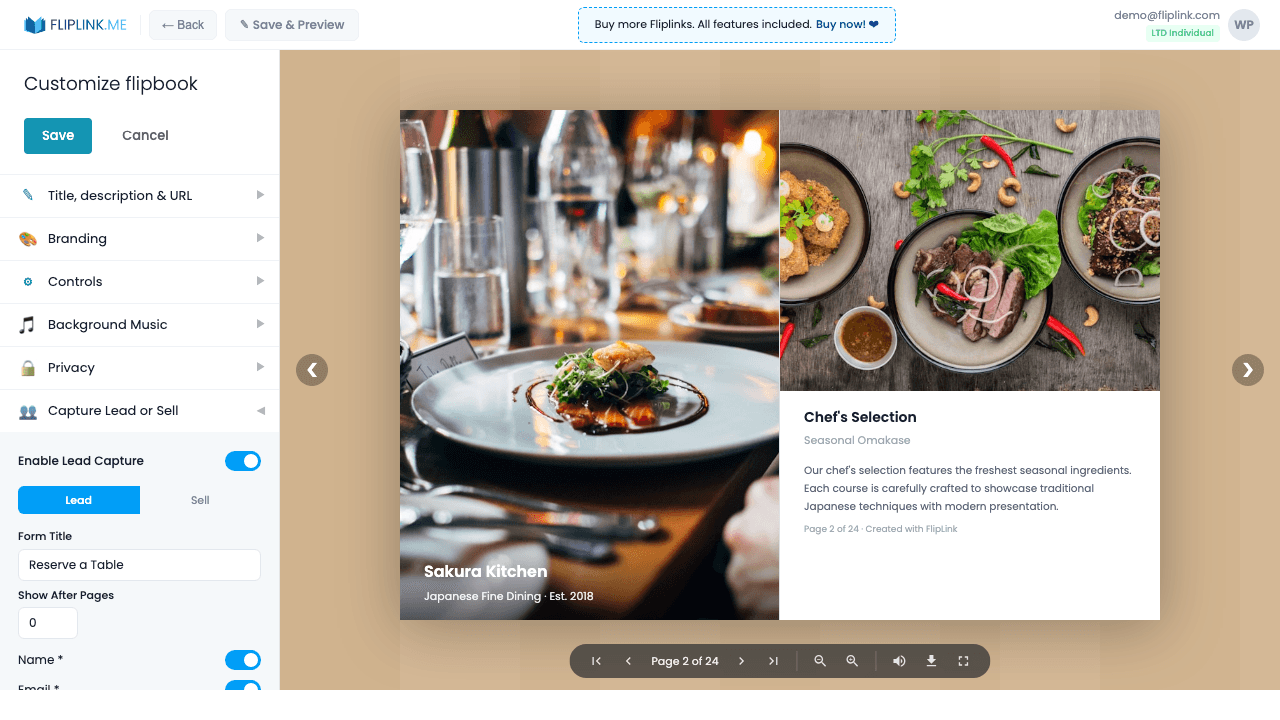
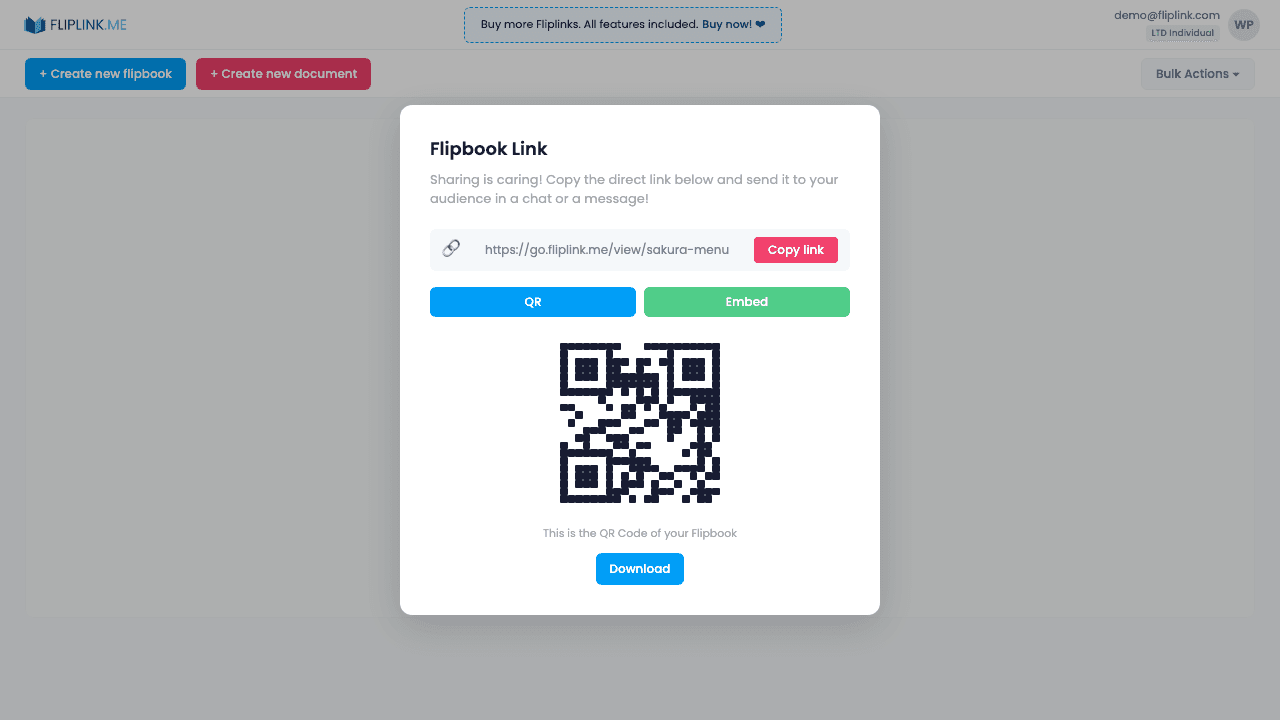
Create a FlipLink flipbook of your menu with a QR code for table cards. Update your menu anytime by replacing the PDF — the QR code and link stay the same. Add your restaurant branding, and if you serve multiple locations, use folders to organize location-specific menus.
How to Get Started
Try It Yourself
Upload any PDF below and see what FlipLink can do — no sign-up needed.
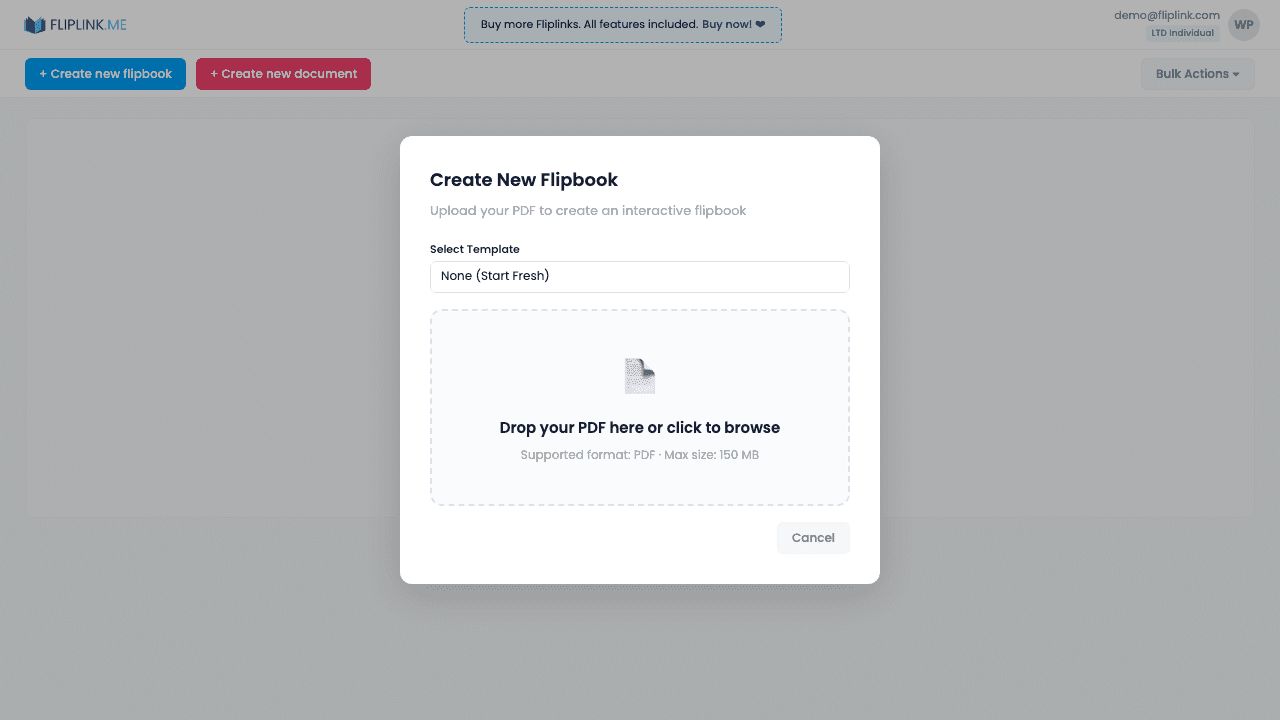
Drop your PDF here or click to browse
Max 40MB
Paid plans from $39 raise this to 150 MB.
Key Features Used
Ready to Try This?
Start your free trial — all features included, no credit card required.
Pay Once, Use Forever
10, 50 or 100 flipbooks · All 35 features · Unlimited domains
No feature gates. Every Lifetime Deal tier unlocks all 35 features.
- Every feature unlocked — no feature gates
- Stackable — buy more codes anytime
- Replaceable — swap old for new
- Unlimited custom domains (CNAME)
- No recurring fees, ever
Frequently Asked Questions
Can diners view the menu without downloading an app?
Yes. FlipLink flipbooks open instantly in any mobile browser — perfect for QR code table menus.
Can I update the menu without reprinting QR codes?
Yes. Use Replace PDF to swap the menu file. The same link and QR code will show the updated menu.
Can I add my restaurant branding to the menu?
Yes. Customize the logo, background, colors, and loading screen to match your restaurant's brand identity.
Ready to Transform
Your PDFs?
Join thousands of businesses using FlipLink to create engaging, interactive content from their PDFs. Start free — no credit card required.