
Domaines personnalisés
Ajoute des domaines personnalisés illimités avec des certificats SSL provisionnés automatiquement à tes flipbooks — aucune restriction, aucuns frais supplémentaires, une image de marque complète.
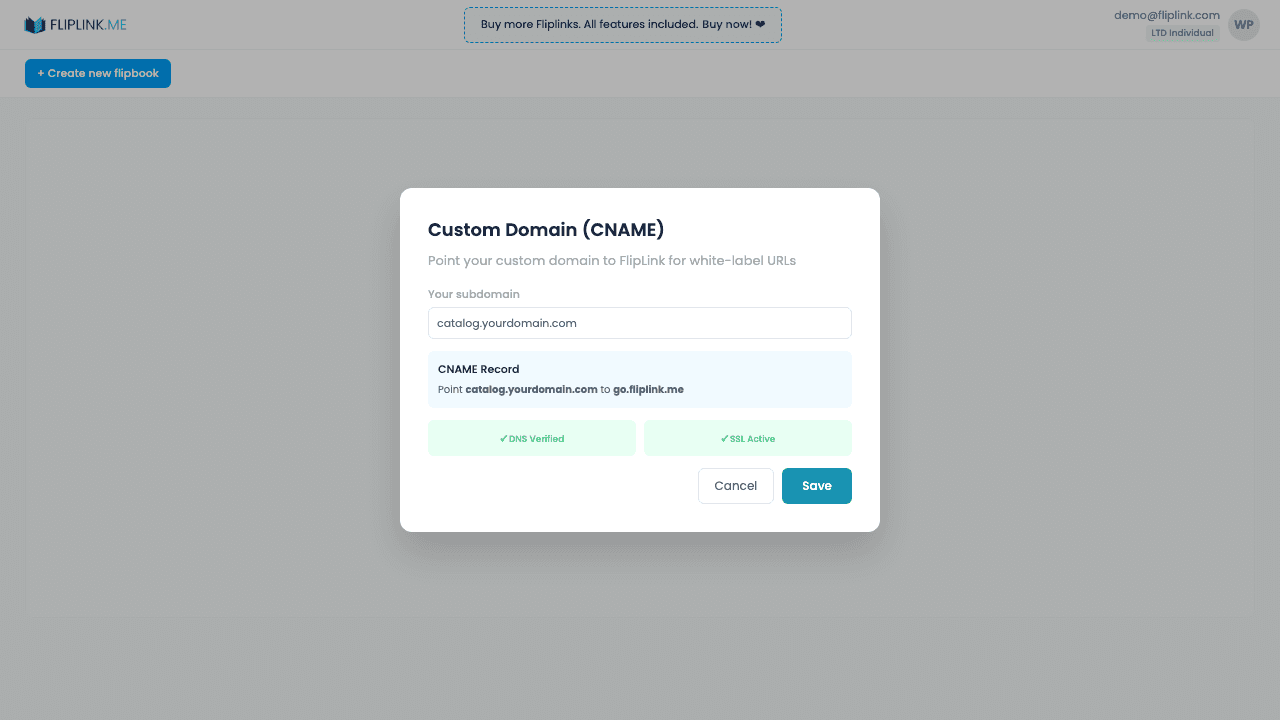
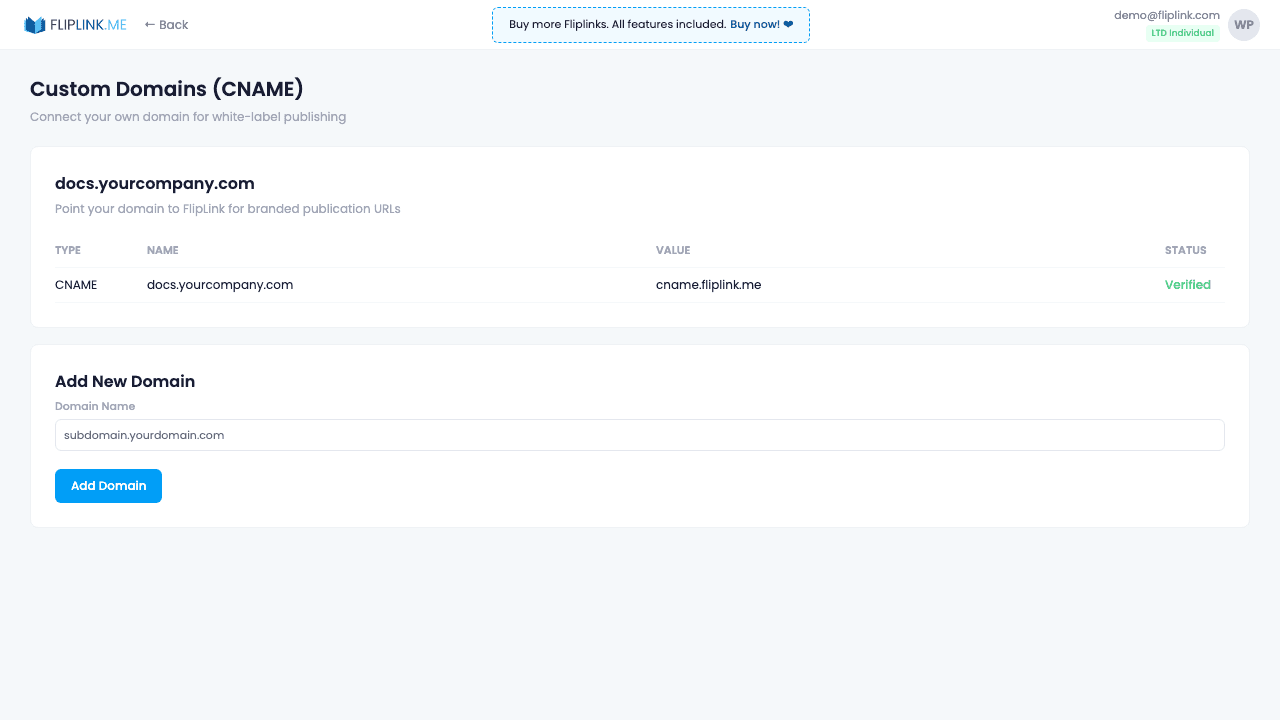
Aperçu
Arrête de partager des liens go.fliplink.me et utilise plutôt ton propre domaine. Ajoute autant de domaines personnalisés que nécessaire — sans limite et sans coût supplémentaire. Crée un enregistrement CNAME qui fait pointer ton sous-domaine (docs.yourbrand.com, par exemple) vers FlipLink. Les certificats SSL sont provisionnés automatiquement — tes lecteurs voient toujours le cadenas vert. Important : si tu utilises Cloudflare, désactive le proxy (le nuage orange) pour que FlipLink puisse provisionner son propre certificat SSL — il s'active en 20 à 30 minutes. La vérification DNS est prise en charge, et tu peux attribuer un domaine à plusieurs publications en une seule fois.
Démo en direct
Domaine personnalisé (CNAME)
FlipbookÀ quoi prêter attention : Ce flipbook est diffusé depuis un domaine personnalisé (flip.csrsupport.space) au lieu de go.fliplink.me. L'enregistrement CNAME fait correspondre l'URL à ta marque — aucune mention de FlipLink dans l'URL.
Ce qui est inclus
Domaines CNAME illimités
Ajoute autant de domaines personnalisés que nécessaire — sans limite, sans coût supplémentaire. Fais pointer tes sous-domaines (docs.yourbrand.com, par exemple) vers FlipLink avec un simple enregistrement DNS de type CNAME. Tes publications sont alors diffusées depuis ton propre domaine.
Certificat SSL automatique
Les certificats SSL sont provisionnés et renouvelés automatiquement après la vérification du domaine. Tes lecteurs voient toujours le cadenas vert.
Cloudflare — désactive le proxy
Si tu utilises Cloudflare pour ton DNS, tu dois désactiver le proxy (l'icône de nuage orange) sur ton enregistrement CNAME. FlipLink provisionne son propre certificat SSL, qui s'active en 20 à 30 minutes. Le proxy Cloudflare perturbe ce processus.
Vérification DNS
FlipLink contrôle ta configuration DNS et confirme que le CNAME est correctement en place. La propagation prend généralement de quelques minutes à quelques heures.
Attribution groupée de domaine
Attribue un même domaine personnalisé à plusieurs publications en une seule fois, pour que tout ton contenu soit diffusé depuis une URL cohérente et à ton image.
Ce dont tu as besoin
Domaine en propre avec accès au DNS
Tu as besoin d'un domaine que tu possèdes (par ex. docs.tonentreprise.com) avec accès à ses paramètres DNS. Tu créeras un enregistrement CNAME pointant ton sous-domaine vers les serveurs de FlipLink.
Temps d'activation du SSL (~30–40 min)
Après l'association de ton domaine, FlipLink provisionne automatiquement un certificat SSL. Il faut généralement 30 à 40 minutes pour l'activer avant que ton domaine personnalisé soit en ligne en HTTPS.
Free: Pdf To Flipbook
Turn your PDF into a beautiful 3D page-flipping flipbook.
Try it free — no sign-up neededEssaie Domaines personnalisés gratuitement
Toutes les fonctionnalités incluses dans l'essai gratuit. Sans carte bancaire.
Fonctionnalités associées
Partage et distribution
Partage ton flipbook ou document n'importe où — lien direct, QR code, intégration sur un site web ou sur plus de 15 plateformes sociales en un clic.
Capture de prospects
Verrouille ton flipbook ou document derrière un formulaire de capture de prospects personnalisable et transforme chaque lecteur en prospect qualifié et traçable.
Gestion des prospects
Visualise, recherche, filtre et exporte chaque prospect de toutes tes publications — suis les sources, gère tes contacts et synchronise-les avec ton CRM ou ta liste d'e-mailing.
Cas d'usage pour Domaines personnalisés
Paie une fois, utilise pour toujours
10, 50 ou 100 flipbooks · Les 35 fonctionnalités · Domaines illimités
Aucun palier. Aucune restriction de fonctionnalité. Chaque code de l'offre à vie débloque tout.
- Chaque fonctionnalité débloquée — sans limites
- Cumulable — achète plus de codes quand tu veux
- Remplaçable — échange l'ancien contre le nouveau
- Domaines personnalisés illimités (CNAME)
- Aucuns frais récurrents, jamais
Questions fréquentes
How many custom domains can I add?
Unlimited. FlipLink allows you to add as many custom domains (CNAME) as you need at no additional cost.
Does FlipLink provide SSL for custom domains?
Yes. SSL certificates are automatically provisioned and renewed for all custom domains at no extra charge.
Will my custom domain show any FlipLink branding?
No. When using a custom domain, all FlipLink branding is removed. Your viewers see only your brand.
Termes de glossaire associés
Prêt à transformer
tes PDF ?
Rejoins des milliers d'entreprises qui utilisent FlipLink pour créer du contenu interactif et engageant à partir de leurs PDF. Commence gratuitement — aucune carte bancaire requise.