
عمل الفريق المشترك
أضِف أعضاء الفريق بحسابات تسجيل دخول مستقلة، ومنشورات معزولة، ومساحات عمل خاصة — أدِر علامات أو عملاء متعدّدين بلا أي تداخل في المحتوى.
نظرة عامة
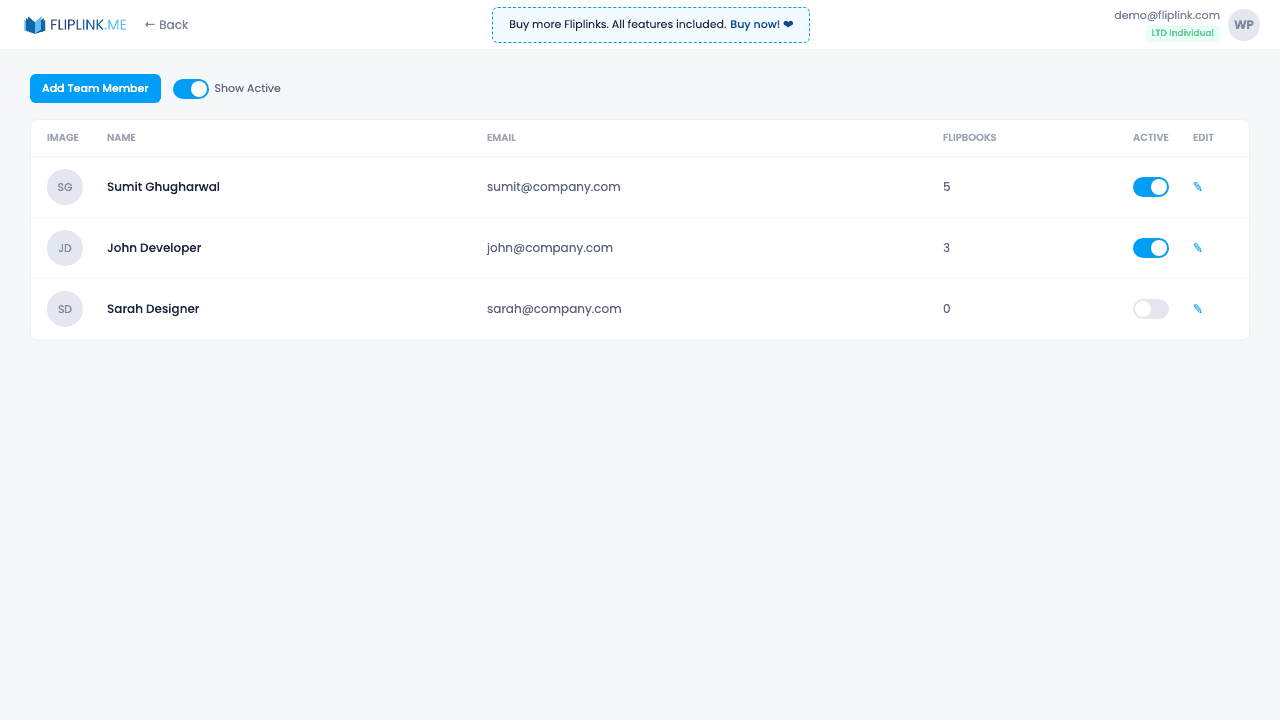
Add team members with their own login credentials and isolated workspaces. Each member can only see and manage their own publications. Activate or deactivate members at any time. Seat limits are determined by your plan. Per-member publication counts help you track usage across the team.
ما المتضمَّن
Add and manage team members
Invite team members with their own email and password. Manage all members from a central dashboard with activate/deactivate controls.
Isolated workspaces
Each team member has their own private workspace. They can only see and manage their own publications — no cross-visibility.
Activate/deactivate members
Temporarily disable a team member's access without deleting their account or publications. Reactivate anytime.
Seat limits by plan
Each pricing plan includes a set number of team seats. Upgrade your plan to add more team members as your organization grows.
Per-member publication count
Track how many publications each team member has created to monitor usage and ensure fair resource distribution.
جرّب عمل الفريق المشترك مجاناً
كل الميزات مدمجة في التجربة المجانية. لا حاجة لبطاقة ائتمان.
ادفع مرة واحدة، واستخدم إلى الأبد
10 أو 50 أو 100 فليب بوك · كل الميزات الـ35 · نطاقات غير محدودة
بلا باقات. بلا قيود على الميزات. كل كود LTD يفتح كل شيء.
- كل ميزة مفتوحة — بلا حدود
- قابلة للتكديس — اشترِ أكواداً إضافية وقتما شئت
- قابلة للاستبدال — استبدل القديم بالجديد
- نطاقات مخصصة بلا حدود (CNAME)
- لا رسوم متكرّرة، إطلاقاً
الأسئلة الشائعة
Can multiple team members access the same account?
Yes. FlipLink supports multi-user workspaces where team members have full admin access to all features except payment management and adding new members.
Is there a limit on team members?
There is no strict limit on team members per workspace.
Are there different permission levels?
Team members get full admin access minus payments and member management. There are no viewer or editor role restrictions.
هل أنت مستعد لتحويل
ملفاتك؟
انضمّ إلى آلاف الشركات التي تستخدم FlipLink لتحويل ملفاتها إلى محتوى جذّاب وتفاعلي. ابدأ مجاناً — بلا بطاقة ائتمان.