
Link Expiry
Set links to expire after a date or number of views — ideal for time-sensitive proposals, limited-access content, and secure one-time document sharing.
Overview
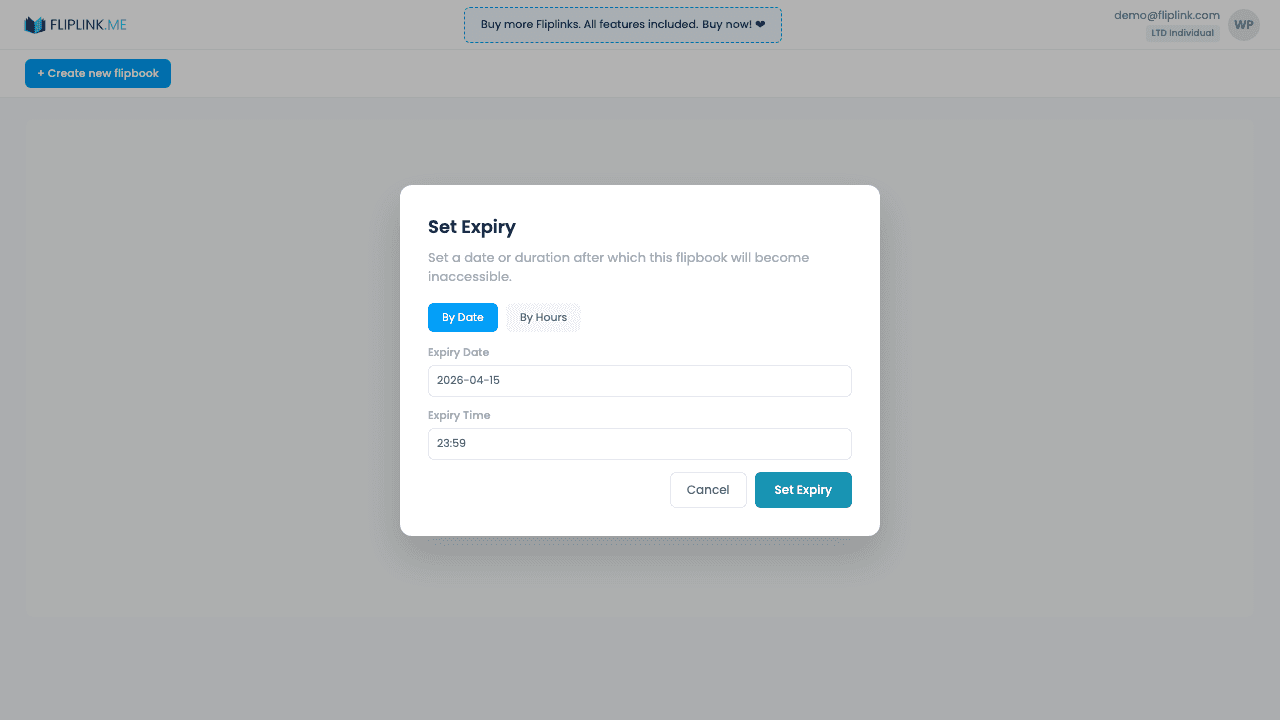
Set links to automatically expire after a specified number of days and hours. After expiry, the link returns an 'expired' page and viewers can no longer access content. Remove the expiry at any time to re-enable access. Perfect for time-sensitive proposals, seasonal catalogs, or limited-time offers.
What's Included
Configurable expiration (days + hours)
Set precise expiry timing with both days and hours fields. Perfect for 24-hour proposals, weekend offers, or month-long campaigns.
Remove expiry to re-enable
Changed your mind? Remove the expiry at any time to make the link permanently accessible again.
Bulk set expiry
Apply the same expiry settings to multiple publications at once using bulk operations — great for seasonal content.
Auto-disable after expiry
Once the timer runs out, the link automatically shows an 'expired' page. No manual action needed to revoke access.
Free: Pdf To Link
Convert any PDF to a shareable online link in seconds.
Try it free — no sign-up neededTry Link Expiry Free
All features included in the free trial. No credit card required.
Related Features
Use Cases for Link Expiry
Pay Once, Use Forever
10, 50 or 100 flipbooks · All 35 features · Unlimited domains
No feature gates. Every Lifetime Deal tier unlocks all 35 features.
- Every feature unlocked — no feature gates
- Stackable — buy more codes anytime
- Replaceable — swap old for new
- Unlimited custom domains (CNAME)
- No recurring fees, ever
Frequently Asked Questions
Can I set an automatic expiry date for shared links?
Yes. Set a date after which the shared link stops working. Viewers will see a message that the link has expired.
Can I extend or remove link expiry after setting it?
Yes. You can update or remove the expiry date at any time from your publication settings.
Ready to Transform
Your PDFs?
Join thousands of businesses using FlipLink to create engaging, interactive content from their PDFs. Start free — no credit card required.