
Expiration des liens
Fais expirer tes liens après une date ou un nombre de vues — idéal pour les propositions urgentes, les contenus à accès limité et le partage sécurisé de documents à usage unique.
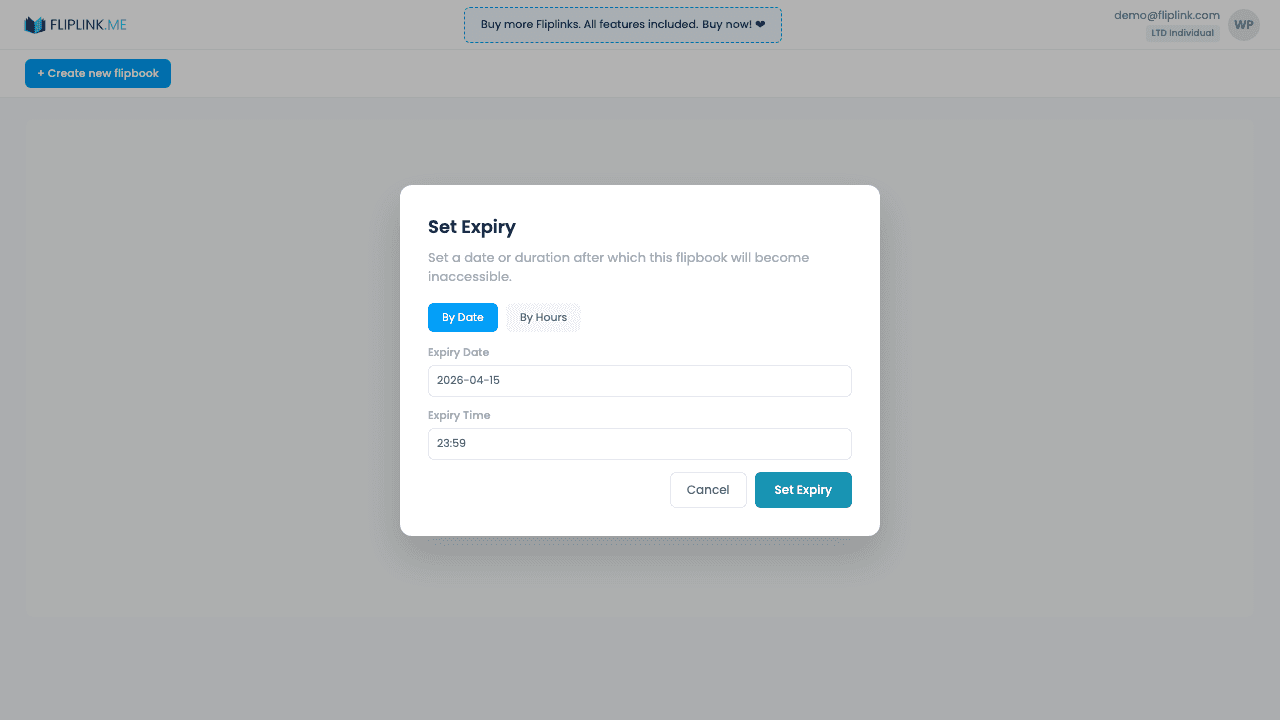
Aperçu
Programme l'expiration automatique de tes liens après un nombre de jours et d'heures défini. Passé ce délai, le lien affiche une page « lien expiré » et les lecteurs n'ont plus accès au contenu. Supprime l'expiration à tout moment pour rétablir l'accès. Parfait pour les propositions urgentes, les catalogues saisonniers ou les offres à durée limitée.
Ce qui est inclus
Expiration configurable (jours + heures)
Règle l'expiration au plus juste grâce aux champs jours et heures. Parfait pour une proposition valable 24 heures, une offre du week-end ou une campagne d'un mois.
Suppression de l'expiration pour rétablir l'accès
Tu as changé d'avis ? Supprime l'expiration à tout moment pour rendre le lien de nouveau accessible en permanence.
Expiration groupée
Applique les mêmes réglages d'expiration à plusieurs publications d'un coup grâce aux opérations groupées — idéal pour les contenus saisonniers.
Désactivation automatique après expiration
Une fois le compte à rebours terminé, le lien affiche automatiquement une page « lien expiré ». Aucune action manuelle n'est nécessaire pour révoquer l'accès.
Free: Pdf To Link
Convert any PDF to a shareable online link in seconds.
Try it free — no sign-up neededEssaie Expiration des liens gratuitement
Toutes les fonctionnalités incluses dans l'essai gratuit. Sans carte bancaire.
Fonctionnalités associées
Protection par mot de passe
Verrouille ton flipbook ou ton document derrière un mot de passe pour que seuls les destinataires autorisés puissent accéder à ton contenu sensible ou premium.
Confidentialité et contrôle d'accès
Contrôle qui peut voir ton flipbook ou ton document — public, protégé par mot de passe ou sur invitation uniquement, avec une liste d'autorisation d'e-mails.
Cas d'usage pour Expiration des liens
Paie une fois, utilise pour toujours
10, 50 ou 100 flipbooks · Les 35 fonctionnalités · Domaines illimités
Aucun palier. Aucune restriction de fonctionnalité. Chaque code de l'offre à vie débloque tout.
- Chaque fonctionnalité débloquée — sans limites
- Cumulable — achète plus de codes quand tu veux
- Remplaçable — échange l'ancien contre le nouveau
- Domaines personnalisés illimités (CNAME)
- Aucuns frais récurrents, jamais
Questions fréquentes
Can I set an automatic expiry date for shared links?
Yes. Set a date after which the shared link stops working. Viewers will see a message that the link has expired.
Can I extend or remove link expiry after setting it?
Yes. You can update or remove the expiry date at any time from your publication settings.
Termes de glossaire associés
Prêt à transformer
tes PDF ?
Rejoins des milliers d'entreprises qui utilisent FlipLink pour créer du contenu interactif et engageant à partir de leurs PDF. Commence gratuitement — aucune carte bancaire requise.