
أزرار الدعوة للإجراء
أضِف أزرار دعوة للإجراء عائمة إلى كتبك التفاعلية ومستنداتك — اجذب النقرات والاشتراكات والتحويلات بأزرار قابلة للتخصيص.
نظرة عامة
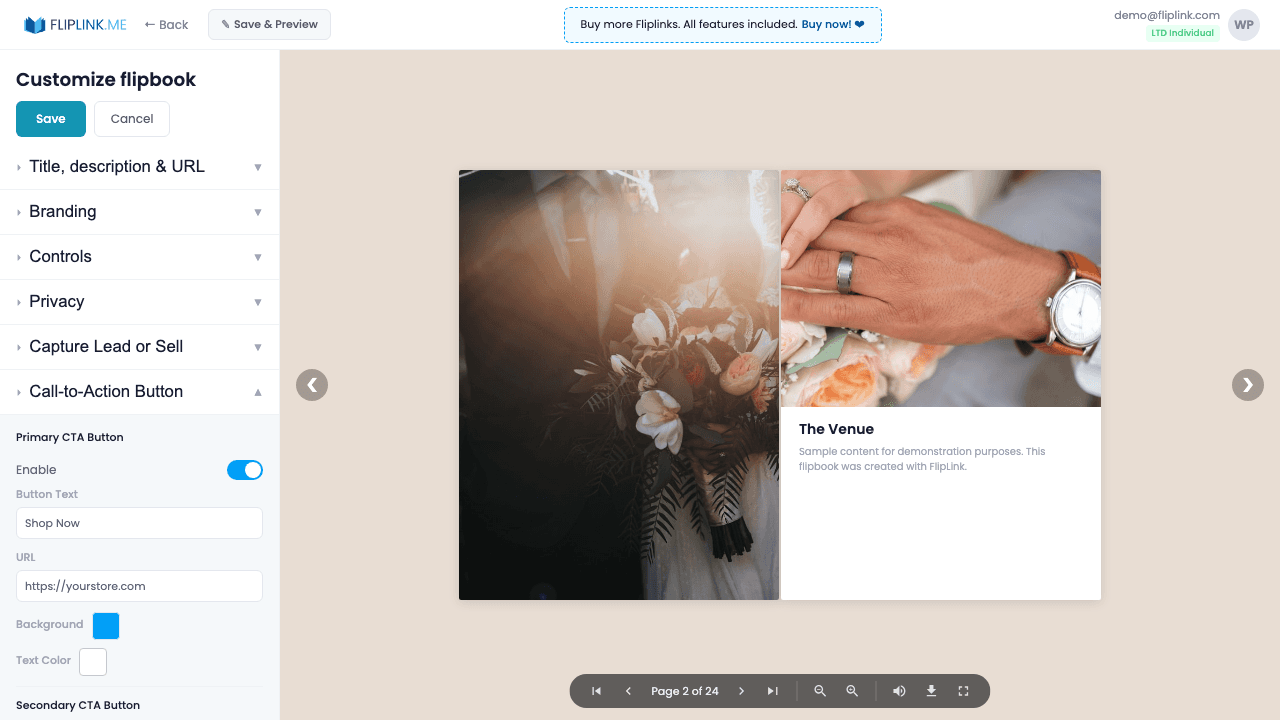
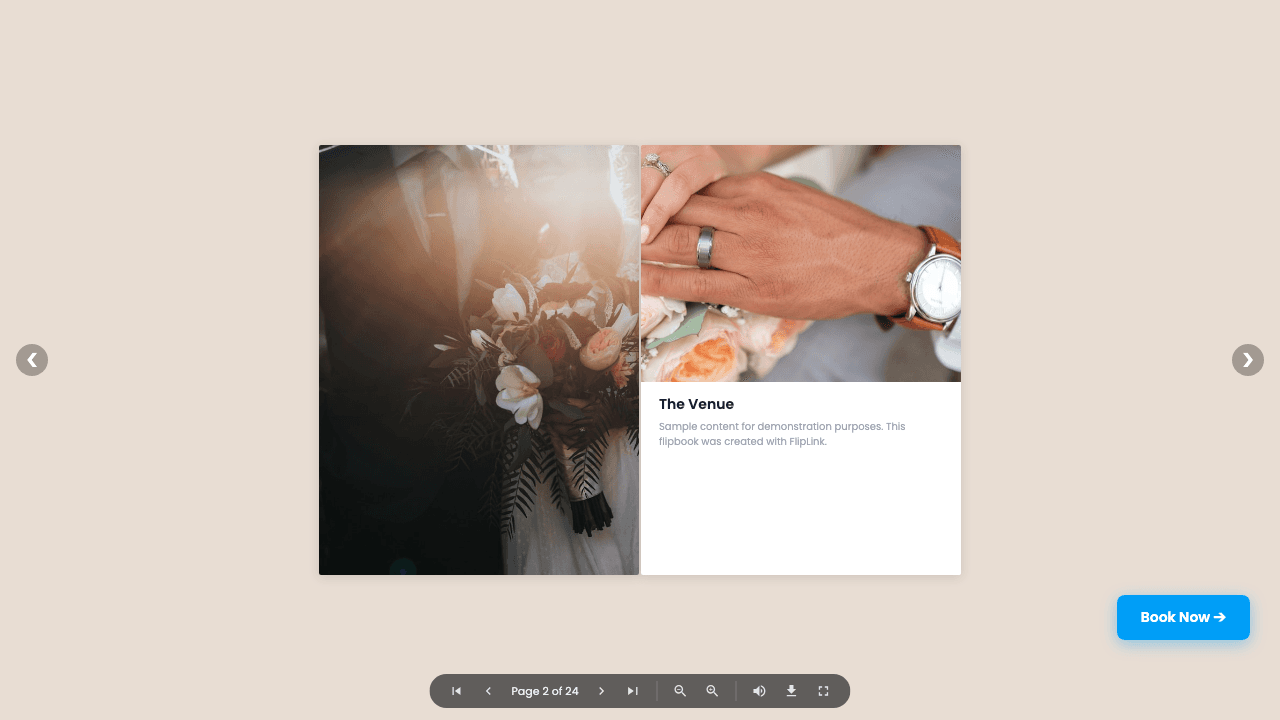
Add up to two floating call-to-action buttons in the viewer. Customize button text, background color, text color, and destination URL. Buttons appear at the top-right of the viewer and track clicks in your analytics dashboard. Use them to drive traffic to landing pages, signup forms, or product pages directly from your content.
عرض حيّ
CTA Buttons in Viewer
كتاب تفاعليما الذي تنتبه إليه: Notice the CTA buttons in the viewer toolbar. This demo has a 'Contact Us' button and a 'FAQs' button configured — click them to see the call-to-action in action.
ما المتضمَّن
Two customizable CTA buttons
Add up to two floating call-to-action buttons in the viewer toolbar. Each button is independently configurable with its own style and link.
Custom colors and text
Set the background color, text color, and button text for each CTA to match your brand and drive the action you want.
Destination URL
Link each button to any URL — landing pages, signup forms, product pages, calendars, or anything that moves viewers down your funnel.
Click tracking analytics
Every CTA click is tracked in your analytics dashboard so you can measure engagement and conversion from your content.
Free: Brochure Maker
Transform your PDF brochure into an interactive digital experience.
Try it free — no sign-up neededجرّب أزرار الدعوة للإجراء مجاناً
كل الميزات مدمجة في التجربة المجانية. لا حاجة لبطاقة ائتمان.
ميزات ذات صلة
المشاركة والتوزيع
شارك كتابك التفاعلي أو مستندك في أي مكان — رابط مباشر، أو رمز QR، أو تضمين في الموقع، أو عبر أكثر من ١٥ منصة اجتماعية بنقرة واحدة.
النطاقات المخصصة
أضِف عدداً غير محدود من النطاقات المخصصة لكتبك التفاعلية مع شهادات SSL تُمنح تلقائياً — بلا قيود، وبلا رسوم إضافية، وبعلامة تجارية كاملة.
التقاط العملاء المحتملين
احمِ كتابك التفاعلي أو مستندك بنموذج قابل للتخصيص لالتقاط العملاء المحتملين، وحوّل كل قارئ إلى عميل مؤهّل وقابل للتتبّع.
حالات استخدام أزرار الدعوة للإجراء
ادفع مرة واحدة، واستخدم إلى الأبد
10 أو 50 أو 100 فليب بوك · كل الميزات الـ35 · نطاقات غير محدودة
بلا باقات. بلا قيود على الميزات. كل كود LTD يفتح كل شيء.
- كل ميزة مفتوحة — بلا حدود
- قابلة للتكديس — اشترِ أكواداً إضافية وقتما شئت
- قابلة للاستبدال — استبدل القديم بالجديد
- نطاقات مخصصة بلا حدود (CNAME)
- لا رسوم متكرّرة، إطلاقاً
الأسئلة الشائعة
What types of CTA buttons can I add?
You can add custom CTA buttons that link to any URL — your website, store, signup page, or any external link.
Can I customize the CTA button appearance?
Yes. You can set custom text, colors, and placement for your CTA buttons.
هل أنت مستعد لتحويل
ملفاتك؟
انضمّ إلى آلاف الشركات التي تستخدم FlipLink لتحويل ملفاتها إلى محتوى جذّاب وتفاعلي. ابدأ مجاناً — بلا بطاقة ائتمان.