
إدارة العملاء المحتملين
اعرض، وابحث، وفلتر، وصدّر كل عميل محتمل من جميع منشوراتك — تتبّع المصادر، وأدِر جهات الاتصال، وزامن بياناتك مع CRM أو قوائم التسويق البريدي.
نظرة عامة
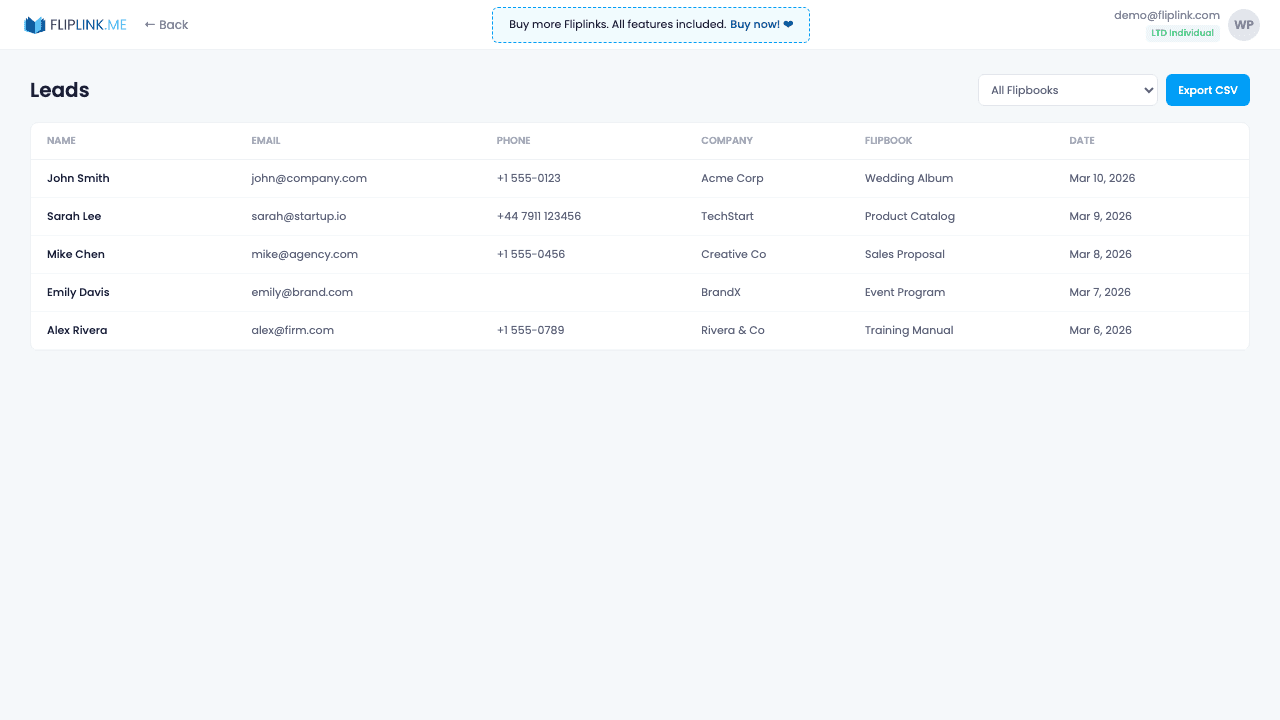
View all captured leads in an interactive spreadsheet with search, multi-column sorting, and publication filtering. Export to CSV with one click. See verification status (OTP-verified vs. unverified), submission timestamps, and which publication captured each lead. Combined with Google Sheets sync, your lead data flows automatically to your existing workflows.
ما المتضمَّن
Interactive spreadsheet view
Browse all captured leads in a sortable, searchable table with columns for every form field, verification status, and submission time.
Filter by publication
Narrow down leads to a specific publication or view them all together. Quickly find leads from your latest campaign.
CSV export
Download all your lead data as a CSV file with one click for import into your CRM, email marketing tool, or spreadsheet.
Email verification status
See at a glance which leads verified their email via OTP and which didn't, helping you prioritize the most engaged contacts.
Multi-column sorting
Sort leads by any column — name, email, date, publication, or verification status — to find exactly what you need.
جرّب إدارة العملاء المحتملين مجاناً
كل الميزات مدمجة في التجربة المجانية. لا حاجة لبطاقة ائتمان.
ميزات ذات صلة
المشاركة والتوزيع
شارك كتابك التفاعلي أو مستندك في أي مكان — رابط مباشر، أو رمز QR، أو تضمين في الموقع، أو عبر أكثر من ١٥ منصة اجتماعية بنقرة واحدة.
النطاقات المخصصة
أضِف عدداً غير محدود من النطاقات المخصصة لكتبك التفاعلية مع شهادات SSL تُمنح تلقائياً — بلا قيود، وبلا رسوم إضافية، وبعلامة تجارية كاملة.
التقاط العملاء المحتملين
احمِ كتابك التفاعلي أو مستندك بنموذج قابل للتخصيص لالتقاط العملاء المحتملين، وحوّل كل قارئ إلى عميل مؤهّل وقابل للتتبّع.
ادفع مرة واحدة، واستخدم إلى الأبد
10 أو 50 أو 100 فليب بوك · كل الميزات الـ35 · نطاقات غير محدودة
بلا باقات. بلا قيود على الميزات. كل كود LTD يفتح كل شيء.
- كل ميزة مفتوحة — بلا حدود
- قابلة للتكديس — اشترِ أكواداً إضافية وقتما شئت
- قابلة للاستبدال — استبدل القديم بالجديد
- نطاقات مخصصة بلا حدود (CNAME)
- لا رسوم متكرّرة، إطلاقاً
الأسئلة الشائعة
Can I export my collected leads?
Yes. Export leads as CSV files from the Lead Management section of your dashboard.
Can I integrate leads with my CRM?
Yes. Use Zapier, webhooks, or Google Sheets sync to automatically send leads to your CRM or other tools.
مصطلحات ذات صلة من المسرد
هل أنت مستعد لتحويل
ملفاتك؟
انضمّ إلى آلاف الشركات التي تستخدم FlipLink لتحويل ملفاتها إلى محتوى جذّاب وتفاعلي. ابدأ مجاناً — بلا بطاقة ائتمان.