
Créer des flipbooks
Transforme n'importe quel PDF en superbe flipbook 3D avec des animations de feuilletage réalistes, un rendu WebGL et un partage adapté au mobile, en quelques secondes.
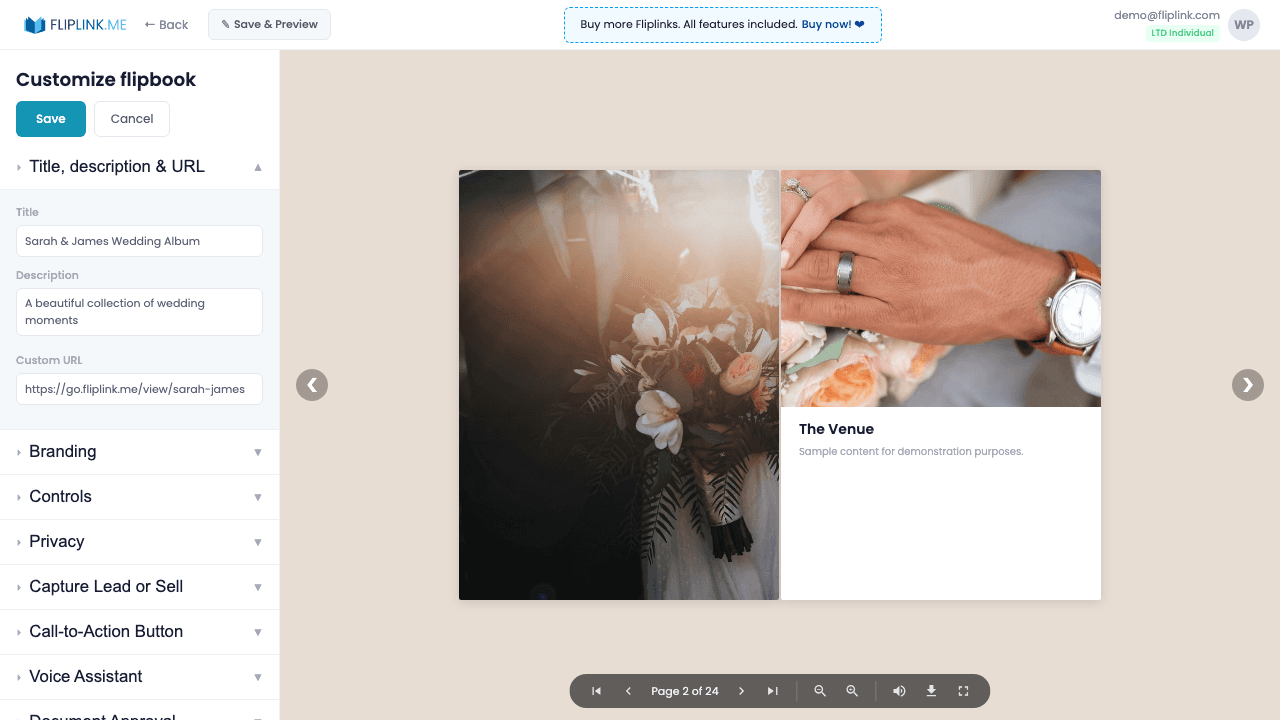
Aperçu
Le créateur de flipbooks 3D de FlipLink transforme n'importe quel PDF en une expérience de lecture immersive. Propulsés par Three.js et WebGL, tes PDF bénéficient d'animations de feuilletage réalistes qui donnent à tes lecteurs l'impression de tenir un vrai livre entre les mains. Téléverse un ou plusieurs PDF, choisis entre une couverture souple et une couverture rigide, règle l'épaisseur des pages de plate à épaisse, et ajoute des effets sonores de feuilletage pour une expérience numérique vraiment tactile. Les modèles te permettent d'enregistrer ta configuration idéale et de la réutiliser pour une image de marque cohérente sur toutes tes publications.
Ce qui est inclus
Animation de feuilletage 3D
Propulsés par Three.js et WebGL, tes PDF bénéficient d'animations de feuilletage réalistes qui donnent à tes lecteurs l'impression de tenir un vrai livre entre les mains.
Téléversement de plusieurs fichiers
Téléverse plusieurs fichiers PDF à la fois et combine-les en un seul flipbook, pour simplifier la création de tes grandes publications.
Création à partir d'un modèle
Sélectionne l'un de tes modèles enregistrés pendant la création pour hériter instantanément de tous les réglages d'image de marque, de capture de prospects et de confidentialité.
Choix du type de couverture
Choisis entre une couverture souple et une couverture rigide, avec une épaisseur de page réglable de plate à épaisse, pour un rendu parfait.
Effets sonores de feuilletage
Ajoute des effets sonores réalistes au début et à la fin de chaque feuilletage, pour une lecture tactile et immersive qui séduira ton audience.
Free: Pdf To Flipbook
Turn your PDF into a beautiful 3D page-flipping flipbook.
Try it free — no sign-up neededEssaie Créer des flipbooks gratuitement
Toutes les fonctionnalités incluses dans l'essai gratuit. Sans carte bancaire.
Fonctionnalités associées
Créer des documents
Partage tes PDF sous forme de documents en ligne défilables avec un lecteur épuré et professionnel propulsé par PDF.js — consultable, adapté à tous les écrans et personnalisable à ton image.
Remplacer le PDF
Mets à jour ton PDF sans perdre ton lien, tes réglages, tes statistiques ni tes prospects. Même URL, nouveau contenu — parfait pour les catalogues et les propositions commerciales.
Dupliquer la publication
Clone n'importe quel flipbook ou document instantanément avec tous les réglages d'image de marque, de capture de prospects et de confidentialité intacts.
Créateur d'e-books — built for Créer des flipbooks
See how FlipLink turns your PDF into an interactive, hosted eBook in 60 seconds.
Paie une fois, utilise pour toujours
10, 50 ou 100 flipbooks · Les 35 fonctionnalités · Domaines illimités
Aucun palier. Aucune restriction de fonctionnalité. Chaque code de l'offre à vie débloque tout.
- Chaque fonctionnalité débloquée — sans limites
- Cumulable — achète plus de codes quand tu veux
- Remplaçable — échange l'ancien contre le nouveau
- Domaines personnalisés illimités (CNAME)
- Aucuns frais récurrents, jamais
Questions fréquentes
What file formats can I upload to create a flipbook?
FlipLink accepts PDF files up to 150 MB. You can upload single or multiple PDFs and combine them into one flipbook.
Does the flipbook work on mobile devices?
Yes. FlipLink flipbooks are fully responsive and work on all modern browsers, including mobile phones and tablets, using WebGL and Three.js rendering.
Can I customize the look of my flipbook?
Absolutely. You can choose between paperback and hardcover styles, adjust page thickness, add page-flip sound effects, set custom backgrounds, and upload your own logo.
Termes de glossaire associés
Prêt à transformer
tes PDF ?
Rejoins des milliers d'entreprises qui utilisent FlipLink pour créer du contenu interactif et engageant à partir de leurs PDF. Commence gratuitement — aucune carte bancaire requise.