
Bulk Operations
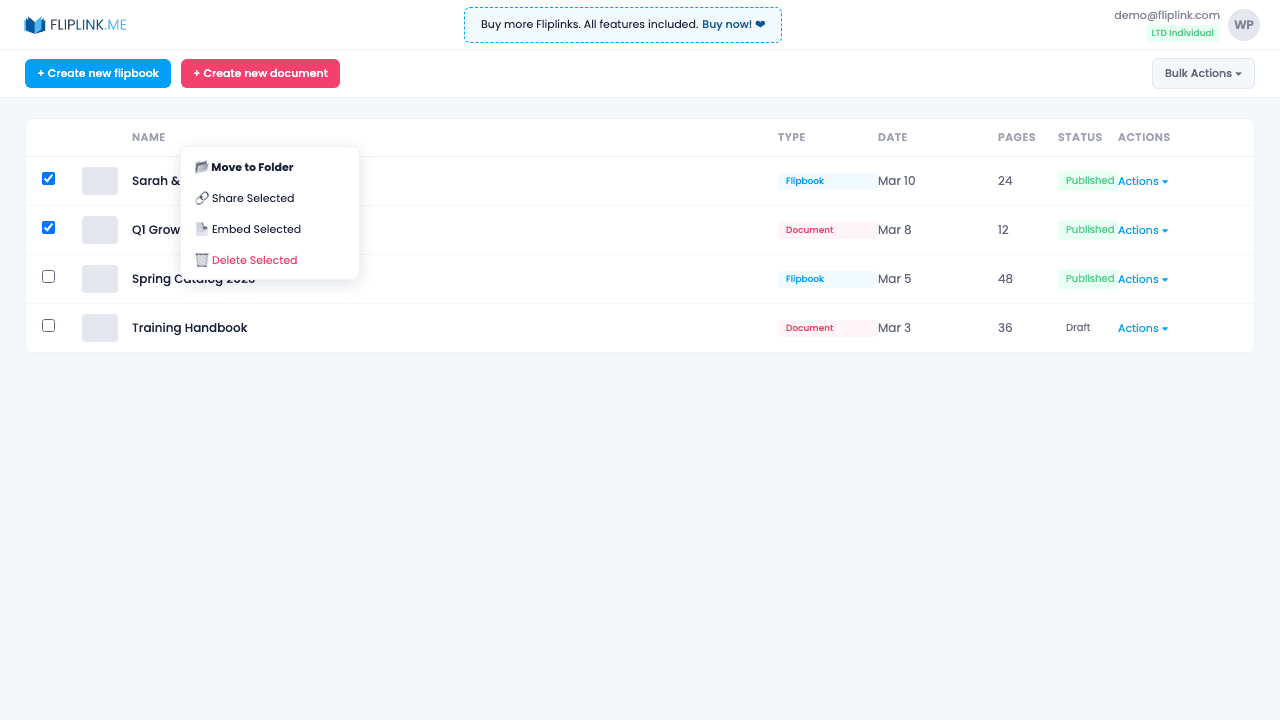
Select multiple publications and act on them all at once — move to folders, assign domains, set expiry dates, or delete in a single bulk action.
Overview
Select multiple publications with checkboxes and perform batch actions: assign to folders, set a custom domain, configure link expiry, download PDFs, or delete. Saves time when managing large collections of publications.
What's Included
Multi-select checkboxes
Select individual publications or use select-all to choose multiple items for batch processing.
Bulk folder assignment
Assign or move multiple publications to a folder at once instead of editing each one individually.
Bulk custom domain
Apply the same custom domain to multiple publications simultaneously for consistent branded URLs across your content.
Bulk set expiry
Set the same expiry date and time across multiple publications — perfect for seasonal catalogs or time-limited campaigns.
Bulk download PDFs
Download the original PDF files from multiple publications at once for backup or offline reference.
Try Bulk Operations Free
All features included in the free trial. No credit card required.
Related Features
Create Flipbooks
Turn any PDF into a stunning 3D flipbook with realistic page-flip animations, WebGL rendering, and mobile-ready sharing in seconds.
Create Documents
Share PDFs as scrollable online documents with a clean, professional viewer powered by PDF.js — searchable, responsive, and brandable.
Replace PDF
Update your PDF without losing your link, settings, analytics, or leads. Same URL, new content — perfect for catalogs and proposals.
Pay Once, Use Forever
10, 50 or 100 flipbooks · All 35 features · Unlimited domains
No feature gates. Every Lifetime Deal tier unlocks all 35 features.
- Every feature unlocked — no feature gates
- Stackable — buy more codes anytime
- Replaceable — swap old for new
- Unlimited custom domains (CNAME)
- No recurring fees, ever
Ready to Transform
Your PDFs?
Join thousands of businesses using FlipLink to create engaging, interactive content from their PDFs. Start free — no credit card required.