
Automatisation et intégrations
Envoie automatiquement les prospects capturés vers Google Sheets, Zapier, Make ou Pabbly via des webhooks — zéro saisie manuelle de données ni export CSV.
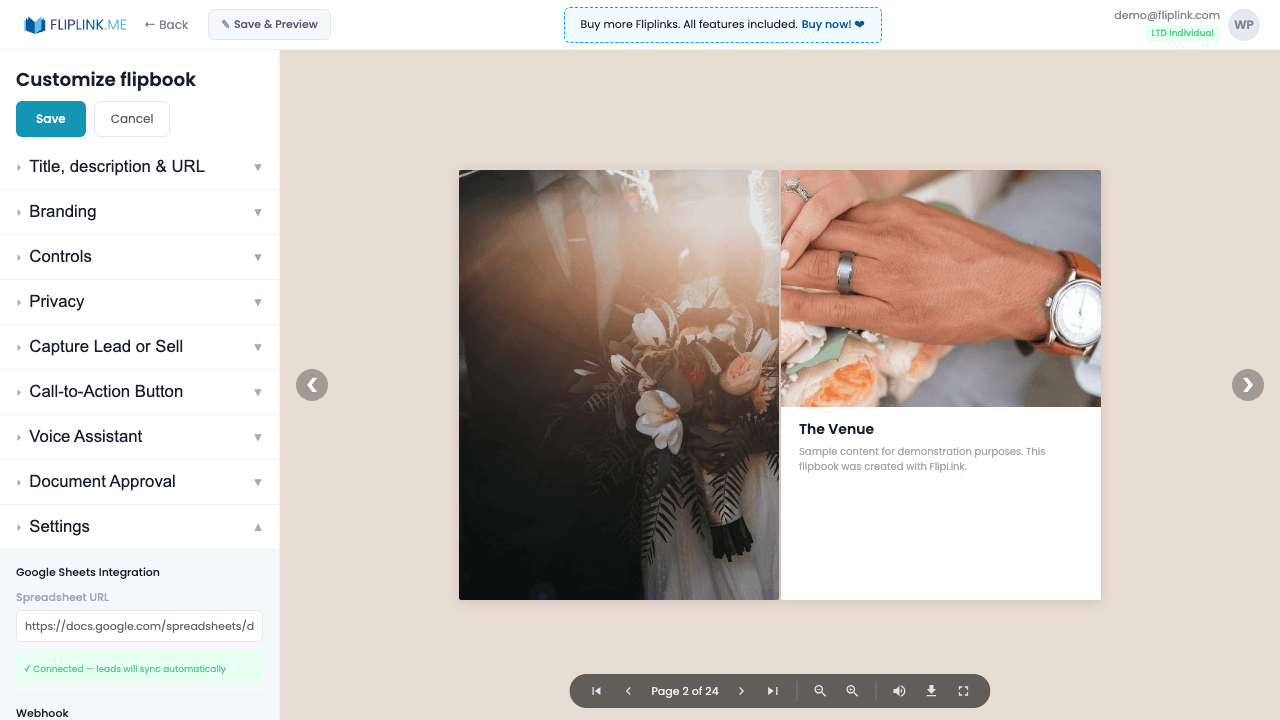
Aperçu
Automatise ton flux de travail grâce aux intégrations natives. Envoie tes prospects vers Google Sheets en temps réel. Déclenche des webhooks vers Zapier, Make (Integromat) ou Pabbly Connect pour aller plus loin : mise à jour du CRM, notifications Slack, séquences d'e-mails, et bien d'autres scénarios. Teste tes webhooks directement depuis le panneau de paramètres.
Ce qui est inclus
Synchronisation Google Sheets
Saisis l'URL de ta Google Sheet, son ID et le nom de l'onglet. Chaque nouveau prospect y est ajouté automatiquement sur une nouvelle ligne, en temps réel.
Webhook Zapier
Déclenche des automatisations Zapier à chaque prospect capturé — envoie-le vers ton CRM, ton outil d'e-mailing, Slack ou l'une des plus de 5 000 applications disponibles.
Webhook Make (Integromat)
Connecte-toi à Make pour des scénarios d'automatisation en plusieurs étapes, avec logique conditionnelle et transformation des données.
Webhook Pabbly Connect
Utilise l'application Pabbly privée de FlipLink pour une automatisation abordable : synchronise tes prospects, déclenche des notifications et mets à jour tes bases de données.
Bouton de test du webhook
Teste la configuration de ton webhook directement depuis le panneau de paramètres pour vérifier la connexion avant la mise en production.
Ce dont tu as besoin
Capture de prospects activée
La synchronisation Google Sheets, les webhooks Pabbly et les intégrations Zapier/Make se déclenchent quand un prospect est capturé. Active d'abord la Capture de prospects pour qu'il y ait des données à envoyer.
Google Sheet (pour la synchronisation Sheets)
Pour utiliser la synchronisation Google Sheets, tu as besoin d'une URL de Google Sheet modifiable publiquement. FlipLink écrit les données des prospects directement dans la feuille que tu indiques.
URL de webhook (pour Pabbly / Zapier / Make)
Pour utiliser les intégrations par webhook, configure une URL de webhook dans ton compte Pabbly Connect, Zapier ou Make et colle-la dans FlipLink.
Essaie Automatisation et intégrations gratuitement
Toutes les fonctionnalités incluses dans l'essai gratuit. Sans carte bancaire.
Fonctionnalités associées
Partage et distribution
Partage ton flipbook ou document n'importe où — lien direct, QR code, intégration sur un site web ou sur plus de 15 plateformes sociales en un clic.
Domaines personnalisés
Ajoute des domaines personnalisés illimités avec des certificats SSL provisionnés automatiquement à tes flipbooks — aucune restriction, aucuns frais supplémentaires, une image de marque complète.
Capture de prospects
Verrouille ton flipbook ou document derrière un formulaire de capture de prospects personnalisable et transforme chaque lecteur en prospect qualifié et traçable.
Cas d'usage pour Automatisation et intégrations
Paie une fois, utilise pour toujours
10, 50 ou 100 flipbooks · Les 35 fonctionnalités · Domaines illimités
Aucun palier. Aucune restriction de fonctionnalité. Chaque code de l'offre à vie débloque tout.
- Chaque fonctionnalité débloquée — sans limites
- Cumulable — achète plus de codes quand tu veux
- Remplaçable — échange l'ancien contre le nouveau
- Domaines personnalisés illimités (CNAME)
- Aucuns frais récurrents, jamais
Questions fréquentes
What integrations does FlipLink support?
FlipLink integrates with Zapier, Make, Pabbly Connect, Google Sheets, and supports custom webhooks for lead data automation.
Do I need Lead Capture enabled for integrations to work?
Yes. Integrations are triggered when a lead is captured. Enable Lead Capture first so there is data to send to your connected tools.
Termes de glossaire associés
Prêt à transformer
tes PDF ?
Rejoins des milliers d'entreprises qui utilisent FlipLink pour créer du contenu interactif et engageant à partir de leurs PDF. Commence gratuitement — aucune carte bancaire requise.