
How to Share Flipbooks on Social Media Effectively
Get more eyes on your flipbook by sharing it across Facebook, LinkedIn, Twitter, and other social platforms.

Published on March 10, 2026 · 5 min read
Why Social Media Matters for Flipbook Distribution
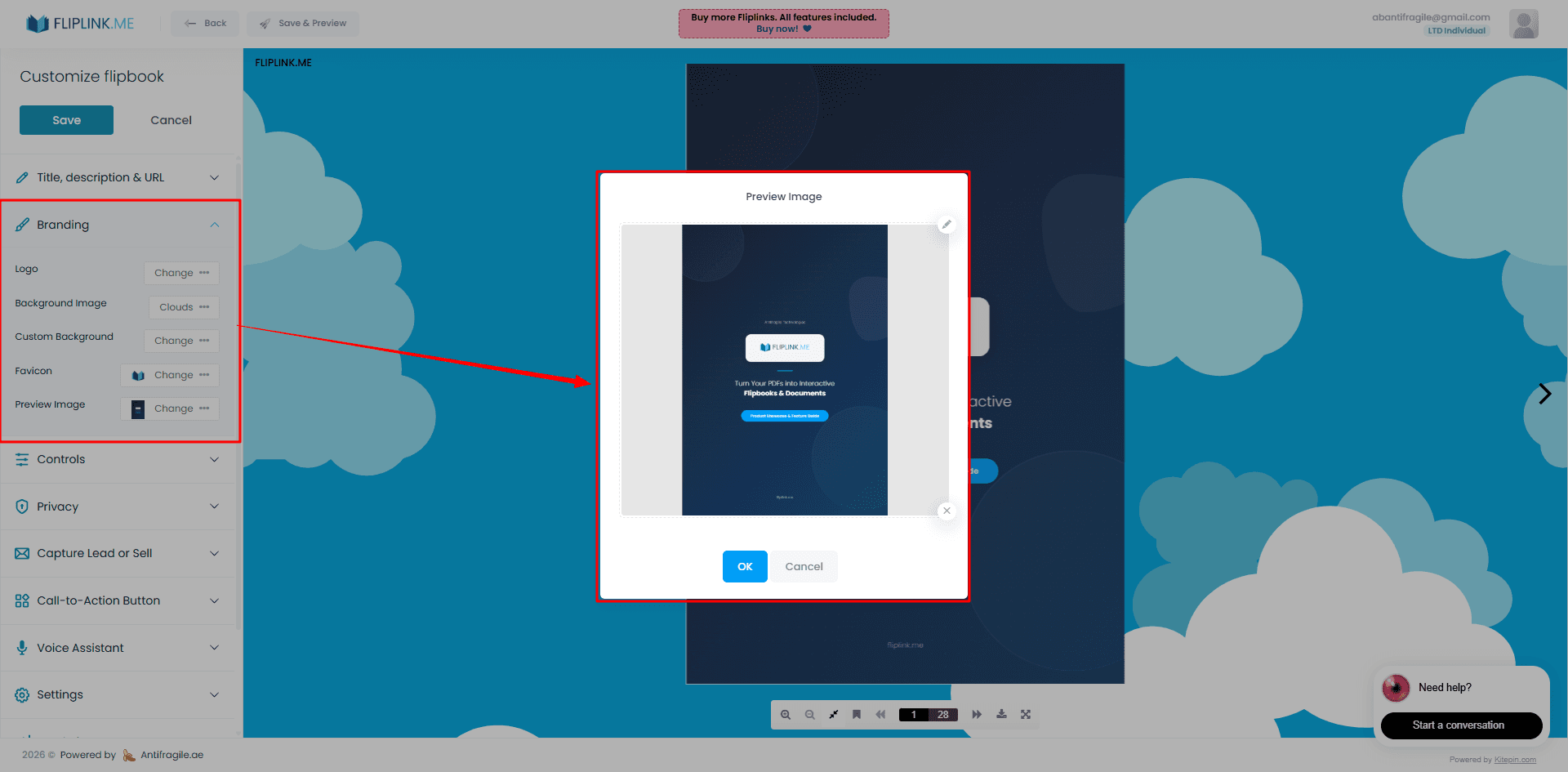
You've built a stunning flipbook from your PDF — now what? If it just sits on your website waiting for organic traffic, you're leaving engagement on the table. Social media is the fastest way to put your flipbook in front of the right audience, whether that's prospects, clients, or your broader community.
Unlike a static PDF link that people scroll past, a flipbook link with a rich preview image stops the scroll. It looks professional, it sparks curiosity, and it drives clicks. Pair that with FlipLink's built-in sharing and distribution tools, and you have everything you need to turn one publication into a traffic engine.
Platform-by-Platform Tips
Every social platform has its own quirks. Here's how to make the most of each one.
Facebook renders OG (Open Graph) tags beautifully. When you share a FlipLink URL, the platform pulls in your title, description, and preview image automatically. Post your flipbook link in your feed, in relevant Groups, or as a pinned post on your Page. Add a short caption that tells people what they'll find inside — curiosity-driven copy works best here.
LinkedIn is ideal for sharing professional content like marketing reports, proposals, and company brochures. A flipbook link in a LinkedIn post gets a large preview card, which dramatically increases click-through rates compared to a plain text update. Tag relevant people or companies to extend your reach.
Twitter / X
Keep it punchy. Twitter's card format displays your OG image alongside a short title and description. Pair your flipbook link with a one-line hook and relevant hashtags. Threads also work well — tease a few highlights from inside the flipbook, then drop the link in the final tweet.
Pinterest is visual-first, which makes it a strong fit for flipbooks with attractive cover designs. Pin your flipbook with a vertical image, a keyword-rich description, and a direct link. Product catalogs, portfolios, and lookbooks perform especially well here.
Instagram doesn't allow clickable links in regular posts, but you can share your flipbook link in Stories (swipe-up or link sticker), in your bio, or via DMs. Create a short Reel or carousel teasing the flipbook content and direct viewers to the link in your bio.
For direct outreach, WhatsApp is hard to beat. Paste your flipbook link into a chat or group, and WhatsApp renders a rich preview with your OG image and title. This is especially effective for sales teams sharing proposals or catalogs with individual prospects.
How OG Tags Make Your Links Look Professional
When you share a URL on any social platform, the platform checks for Open Graph meta tags to decide what preview to display. Without them, your link looks like a bare URL with no context — easy to ignore.
FlipLink automatically generates OG tags for every publication, including a title, description, and preview image. You can also upload a custom OG image to control exactly what people see when your link appears in their feed. This small step makes a significant difference in click-through rates.
If you want to dive deeper into optimizing these tags, check out our guide on how to optimize flipbook social media OG tags.
Free: Share Pdf
Share your PDF across social media and messaging platforms.
Try it free — no sign-up neededBest Practices for Social Sharing
Getting the mechanics right is only half the battle. Here are a few principles that consistently improve results:
- Write a caption, don't just drop a link. Give people a reason to click. Tease the content, ask a question, or highlight a key takeaway.
- Use your best visual. Upload a custom OG image that represents the flipbook's content. Covers with bold text and clean design outperform generic thumbnails.
- Post at the right time. Each platform has peak engagement windows. Test different posting times and track what works for your audience.
- Repurpose across platforms. One flipbook can generate posts for every channel. Adjust the format and tone for each platform, but reuse the core message.
- Track your results. FlipLink's built-in analytics show you exactly how many people viewed your flipbook and how they interacted with it. Use that data to refine your approach.
For more distribution strategies beyond social, see our guide on ways to share a flipbook online.
Platform Comparison at a Glance
| Platform | Best Content Type | Link Preview | Key Tip |
|---|---|---|---|
| Brochures, catalogs, reports | Large OG card | Post in niche Groups for targeted reach | |
| Proposals, case studies, reports | Large OG card | Tag people and companies to boost visibility | |
| Twitter / X | Quick updates, teasers | Summary card with image | Use threads to build anticipation |
| Portfolios, lookbooks, catalogs | Pin with image | Use vertical images and keyword-rich descriptions | |
| Visual teasers | No in-feed links | Use Stories link sticker or bio link | |
| Sales proposals, direct shares | Rich preview | Perfect for one-to-one prospect outreach |
Start Sharing Your Flipbooks Today
Social media turns a single flipbook into a multi-channel asset. With FlipLink's automatic OG tags, custom preview images, and one-click sharing links, getting your content in front of the right audience takes minutes, not hours.
Ready to create your first flipbook and share it everywhere? Sign up for FlipLink and start publishing. Check out our pricing page to see how FlipLink's lifetime deal gives you everything you need for a one-time cost.
Ready to Create Your First Flipbook?
Transform your PDFs into interactive flipbooks and documents. Get started with FlipLink's Lifetime Deal — lifetime access that starts at just $39.
Pay Once, Use Forever
10, 50 or 100 flipbooks · All 35 features · Unlimited domains
No feature gates. Every Lifetime Deal tier unlocks all 35 features.
- Every feature unlocked — no feature gates
- Stackable — buy more codes anytime
- Replaceable — swap old for new
- Unlimited custom domains (CNAME)
- No recurring fees, ever
Related Reading
Optimize Your Flipbook for Social Media with OG Tags
Make your flipbook links look great on social media with custom OG titles, descriptions, and preview images.
How to Link a PDF in Google Docs
Need to add a PDF link inside a Google Doc? Here's how to hyperlink to a PDF in Google Docs the right way — so the file opens cleanly for every reader.
How to Link a PDF: A Simple Guide
Learn how to link a PDF so anyone can open it in a browser with one click. Compare cloud drives, file hosts, and a permanent FlipLink URL with tracking.