
Viewer Controls
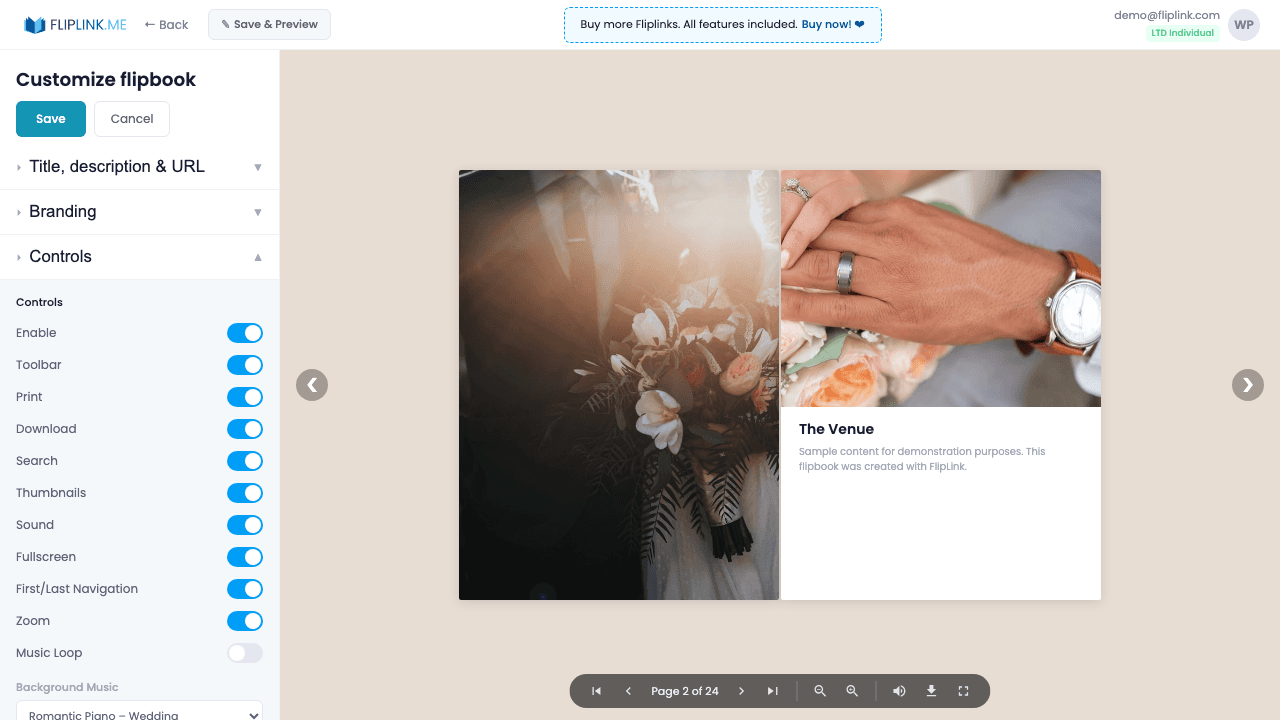
Give your audience the viewer tools they need — enable or disable print, download, text search, fullscreen, zoom, and page navigation.
Overview
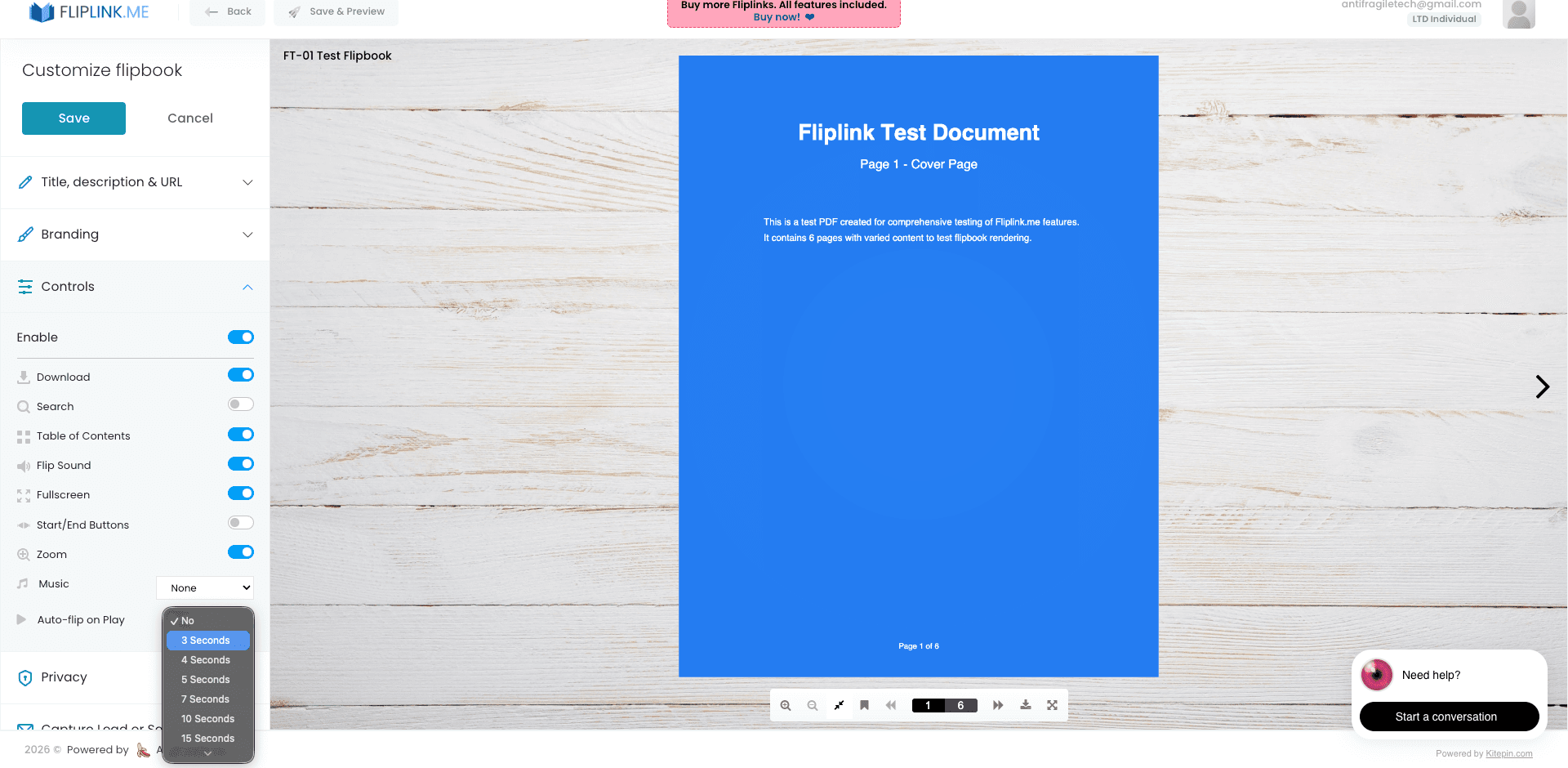
Fine-tune the viewer toolbar for each publication. Toggle print and download buttons on or off to control content distribution. Enable full-text search for documents, show or hide the thumbnails panel, control zoom levels, and toggle first/last page navigation buttons. Each control is independently toggleable, giving you precise control over what your audience can do.
Live Demos
All Controls Visible
FlipbookWhat to look for: This flipbook has the full viewer toolbar enabled — print, download, zoom, fullscreen, search, table of contents, and all navigation controls are visible and accessible.
Minimal Controls
FlipbookWhat to look for: This flipbook has most viewer controls hidden, providing a clean, distraction-free reading experience with only essential navigation.
What's Included
Toolbar toggle
Show or hide the entire viewer toolbar depending on whether you want a minimal reading experience or full controls.
Print and download controls
Toggle print and PDF download buttons independently. Control whether viewers can export your content or only view it online.
Full-text search
Enable in-document text search so viewers can find specific content instantly — especially useful for long documents and manuals.
Thumbnails panel
Show or hide the thumbnails sidebar that lets viewers visually browse pages and jump to any section with a click.
Zoom controls
Let viewers zoom in and out of content for detailed inspection of images, charts, and fine print.
Free: Pdf Viewer
Create an embeddable scrollable PDF viewer for your website.
Try it free — no sign-up neededTry Viewer Controls Free
All features included in the free trial. No credit card required.
Related Features
Create Flipbooks
Turn any PDF into a stunning 3D flipbook with realistic page-flip animations, WebGL rendering, and mobile-ready sharing in seconds.
Create Documents
Share PDFs as scrollable online documents with a clean, professional viewer powered by PDF.js — searchable, responsive, and brandable.
Replace PDF
Update your PDF without losing your link, settings, analytics, or leads. Same URL, new content — perfect for catalogs and proposals.
Pay Once, Use Forever
10, 50 or 100 flipbooks · All 35 features · Unlimited domains
No feature gates. Every Lifetime Deal tier unlocks all 35 features.
- Every feature unlocked — no feature gates
- Stackable — buy more codes anytime
- Replaceable — swap old for new
- Unlimited custom domains (CNAME)
- No recurring fees, ever
Ready to Transform
Your PDFs?
Join thousands of businesses using FlipLink to create engaging, interactive content from their PDFs. Start free — no credit card required.