
Tracking Pixels
Connect Facebook Pixel, Google Analytics, or GTM to track conversions from your content — retarget flipbook viewers and measure marketing campaign ROI.
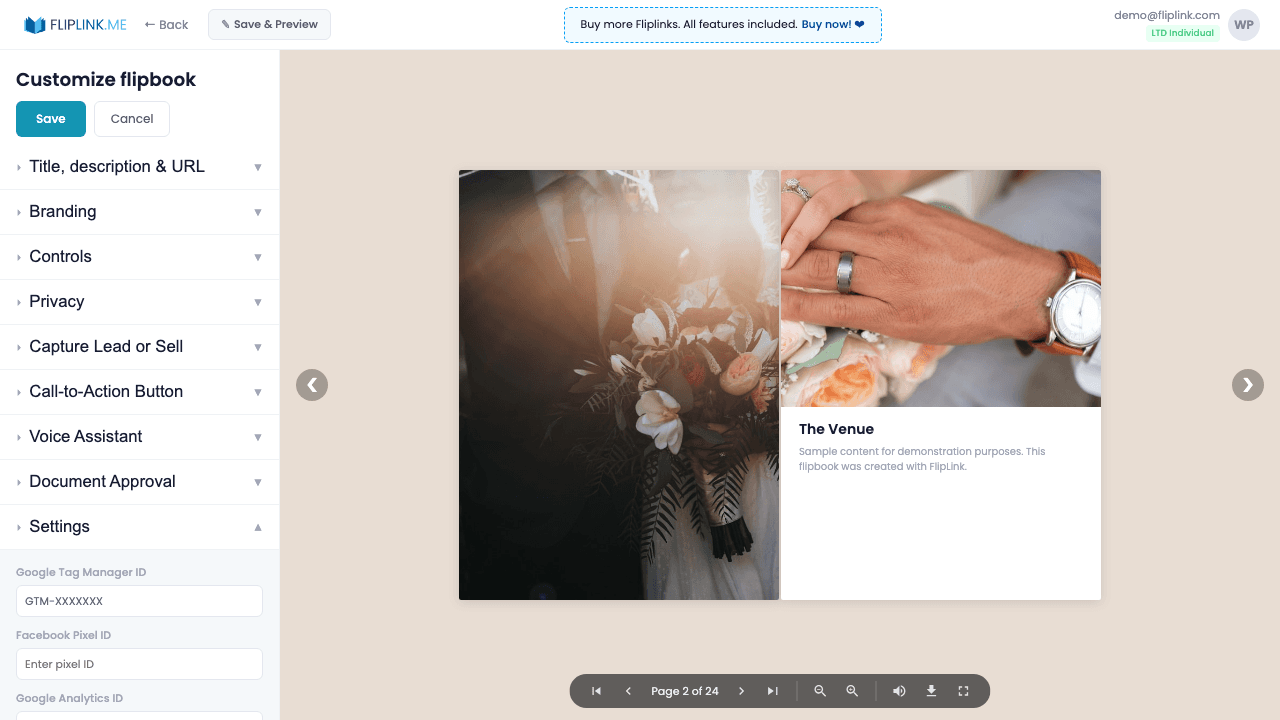
Overview
Add your own tracking pixels per publication for conversion tracking in your existing marketing tools. Enter a Facebook Pixel ID to track ad conversions, a Google Analytics ID for detailed traffic analysis, or a Google Tag Manager container for custom event tracking. Pixels fire alongside FlipLink's built-in analytics.
What's Included
Facebook Pixel integration
Enter your Facebook Pixel ID to track ad conversions, build retargeting audiences, and measure the ROI of your Facebook campaigns.
Google Analytics tracking
Add your Google Analytics ID for detailed traffic analysis, user flow tracking, and integration with your existing analytics setup.
Google Tag Manager support
Connect your GTM container for custom event tracking, A/B testing, and advanced marketing tag management.
What You Need
Facebook Pixel ID or Google Analytics ID
To track visitor behavior, enter your Facebook Pixel ID or Google Analytics measurement ID. These are obtained from your ad/analytics accounts.
Free: Pdf To Flipbook
Turn your PDF into a beautiful 3D page-flipping flipbook.
Try it free — no sign-up neededTry Tracking Pixels Free
All features included in the free trial. No credit card required.
Document Tracking — Tracking Pixels in action
See how Tracking Pixels powers per-page reader analytics for sales decks, proposals and contracts.
Pay Once, Use Forever
10, 50 or 100 flipbooks · All 35 features · Unlimited domains
No feature gates. Every Lifetime Deal tier unlocks all 35 features.
- Every feature unlocked — no feature gates
- Stackable — buy more codes anytime
- Replaceable — swap old for new
- Unlimited custom domains (CNAME)
- No recurring fees, ever
Frequently Asked Questions
Which tracking pixels does FlipLink support?
FlipLink supports Facebook Pixel and Google Analytics tracking codes. Enter your Pixel ID or GA measurement ID in the publication settings.
Can I use tracking pixels with lead capture?
Yes. Tracking pixels and lead capture work together — you can track conversions from viewers who also submit lead forms.
Ready to Transform
Your PDFs?
Join thousands of businesses using FlipLink to create engaging, interactive content from their PDFs. Start free — no credit card required.