
Folders & Organization
Organize hundreds of publications into folders, find anything in seconds, and embed entire folders as browsable galleries.
Overview
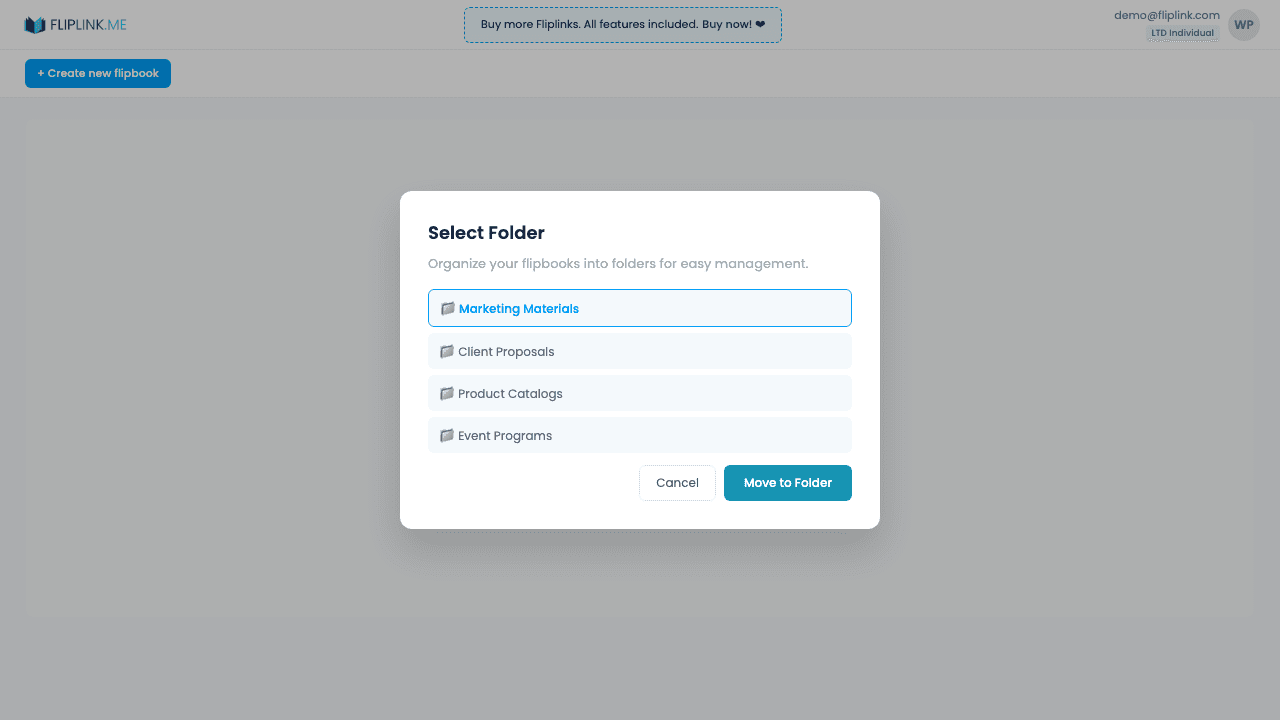
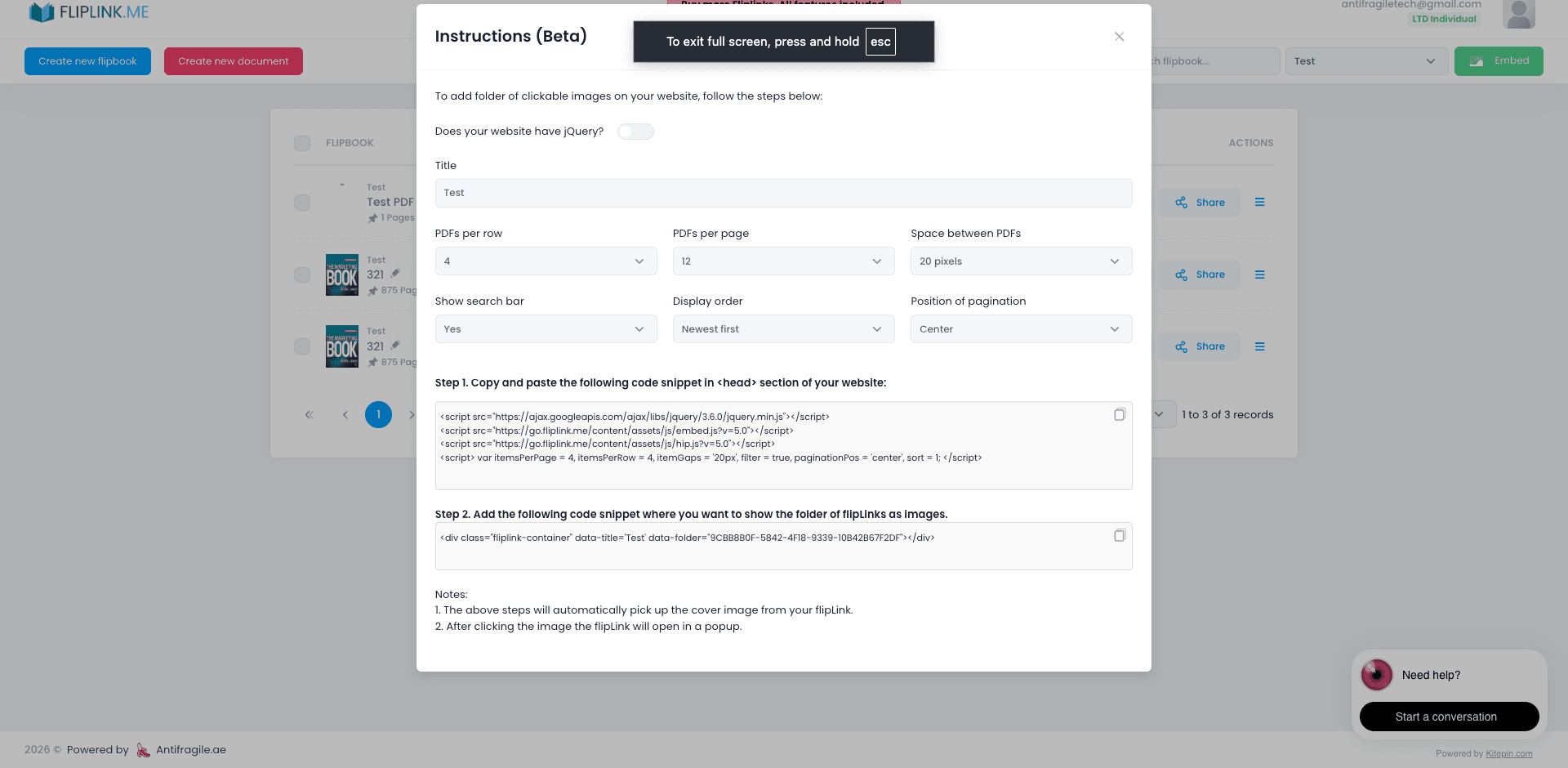
Organize publications into named folders for easy management. Assign up to 10 folders per publication, filter the dashboard by folder, and use bulk folder assignment for multiple publications at once. Embed entire folders as clickable image galleries on any website — configure the layout (PDFs per row, per page, spacing), add a search bar for filtering by title, choose display order, and set pagination. Cover images are auto-generated from each publication and clicking any thumbnail opens the flipbook in a lightbox popup.
What's Included
Named folders (up to 10 per publication)
Create named folders to organize publications by client, campaign, product line, or any category that makes sense for your workflow.
Dashboard folder filter
Filter your dashboard view by folder to quickly find and manage related publications without scrolling through everything.
Bulk folder assignment
Select multiple publications and assign them to a folder in one action — saves time when organizing large collections.
Folder embed gallery
Embed an entire folder as a clickable image gallery on any website. Configure layout options like PDFs per row, per page, spacing, display order, and pagination. Add a search bar so visitors can filter publications by title. Cover images load automatically, and clicking any thumbnail opens the publication in a lightbox popup — like a digital library shelf.
Try Folders & Organization Free
All features included in the free trial. No credit card required.
Related Features
Create Flipbooks
Turn any PDF into a stunning 3D flipbook with realistic page-flip animations, WebGL rendering, and mobile-ready sharing in seconds.
Create Documents
Share PDFs as scrollable online documents with a clean, professional viewer powered by PDF.js — searchable, responsive, and brandable.
Replace PDF
Update your PDF without losing your link, settings, analytics, or leads. Same URL, new content — perfect for catalogs and proposals.
Pay Once, Use Forever
10, 50 or 100 flipbooks · All 35 features · Unlimited domains
No feature gates. Every Lifetime Deal tier unlocks all 35 features.
- Every feature unlocked — no feature gates
- Stackable — buy more codes anytime
- Replaceable — swap old for new
- Unlimited custom domains (CNAME)
- No recurring fees, ever
Frequently Asked Questions
Can I organize publications into folders?
Yes. Create folders to organize your publications by project, client, team, or any other grouping that works for you.
Can I move publications between folders?
Yes. Drag and drop or use the move action to reorganize publications across folders at any time.
Ready to Transform
Your PDFs?
Join thousands of businesses using FlipLink to create engaging, interactive content from their PDFs. Start free — no credit card required.