
Protection par mot de passe
Verrouille ton flipbook ou ton document derrière un mot de passe pour que seuls les destinataires autorisés puissent accéder à ton contenu sensible ou premium.
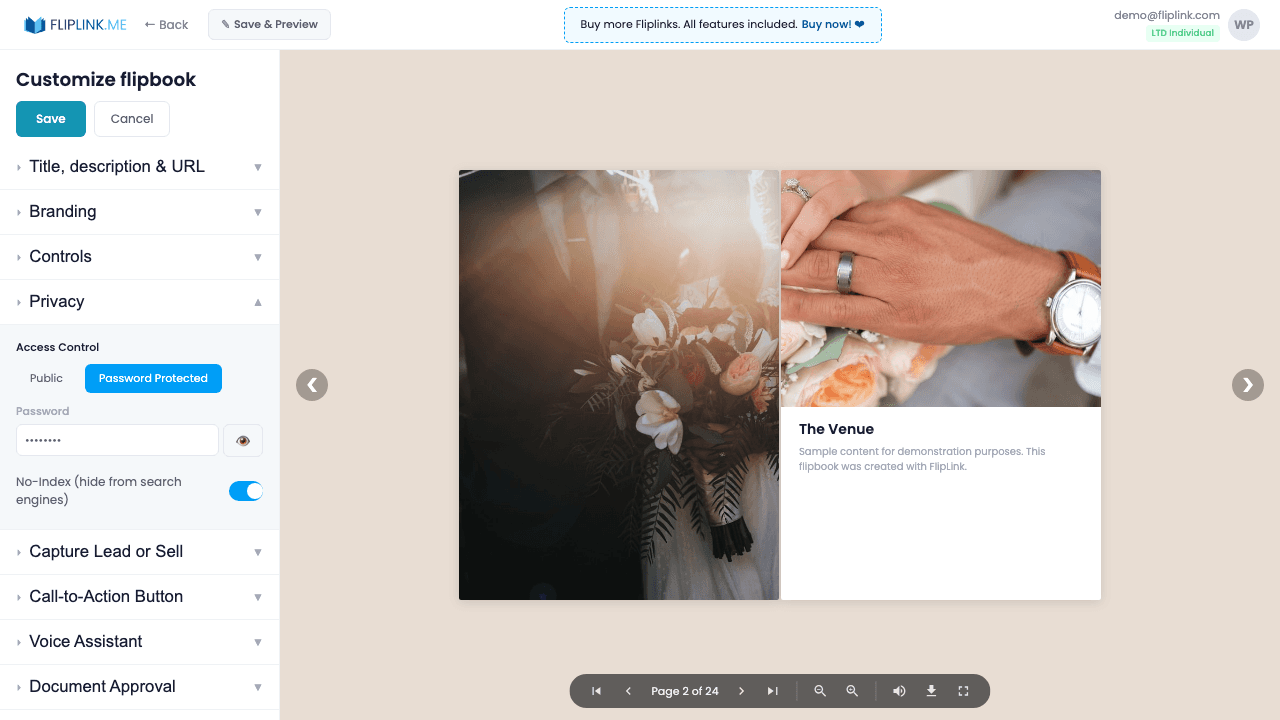
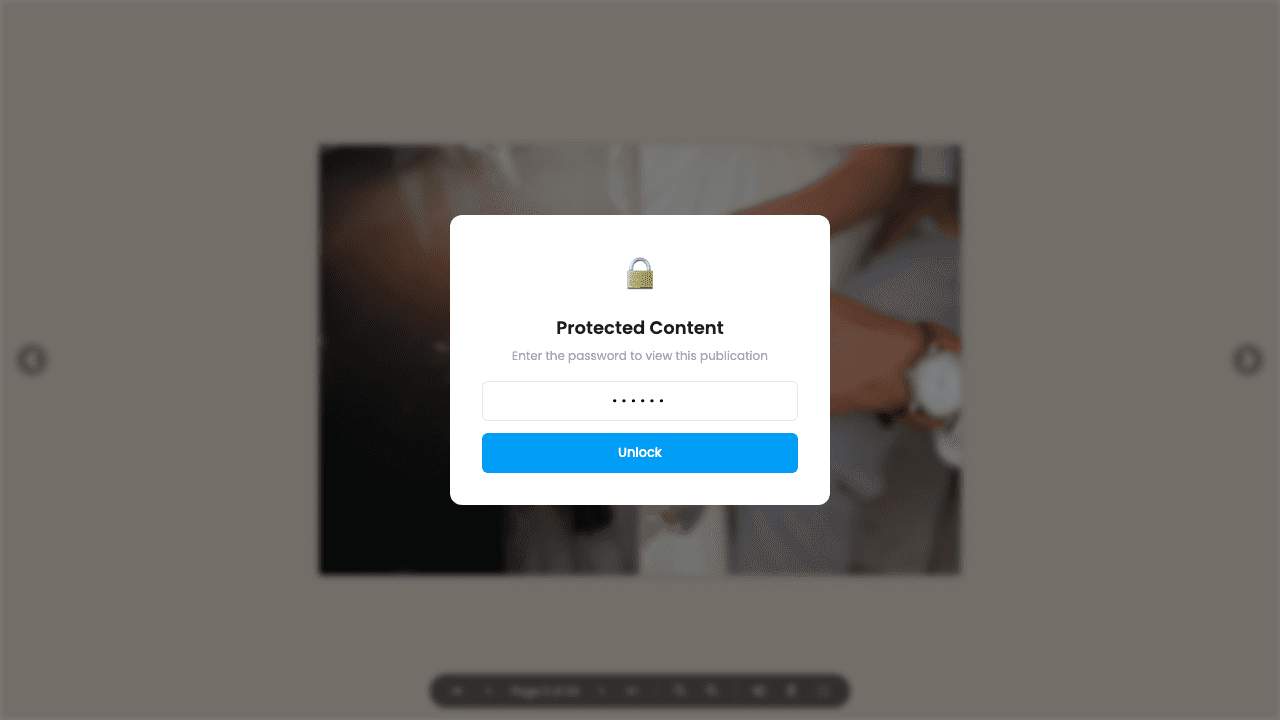
Aperçu
Verrouille n'importe quelle publication derrière un mot de passe. Les lecteurs voient une fenêtre de saisie en plein écran avant d'accéder au contenu. Les mots de passe sont sensibles à la casse et il n'existe pas d'option « se souvenir de moi » : le lecteur saisit le mot de passe à chaque session. Tu peux définir, modifier ou supprimer un mot de passe à tout moment depuis la fenêtre de partage et de paramètres.
Démos en direct
Flipbook — protégé par mot de passe
FlipbookÀ quoi prêter attention : Ce flipbook est protégé par mot de passe. Une fenêtre de saisie apparaît avant que tu puisses accéder au contenu. Saisis le mot de passe pour le déverrouiller et consulter le flipbook.
Mot de passe : 123
Document — protégé par mot de passe
DocumentÀ quoi prêter attention : Ce document est protégé par mot de passe. Une fenêtre de saisie bloque l'accès tant que le bon mot de passe n'a pas été saisi.
Mot de passe : 321
Ce qui est inclus
Accès au lecteur protégé par mot de passe
Les lecteurs voient une fenêtre de saisie du mot de passe en plein écran avant le moindre chargement de contenu. Pas d'aperçu, pas de contournement : le contenu est totalement protégé.
Mot de passe affiché ou masqué dans la fenêtre de partage
Le mot de passe reste visible dans la fenêtre de partage et de paramètres : tu peux ainsi le copier facilement et l'envoyer aux lecteurs autorisés.
Texte personnalisable de la page de mot de passe
Personnalise le message que voient tes lecteurs sur la page de mot de passe. Ajoute des instructions, un contact ou un message de marque.
Free: Pdf To Flipbook
Turn your PDF into a beautiful 3D page-flipping flipbook.
Try it free — no sign-up neededEssaie Protection par mot de passe gratuitement
Toutes les fonctionnalités incluses dans l'essai gratuit. Sans carte bancaire.
Fonctionnalités associées
Expiration des liens
Fais expirer tes liens après une date ou un nombre de vues — idéal pour les propositions urgentes, les contenus à accès limité et le partage sécurisé de documents à usage unique.
Confidentialité et contrôle d'accès
Contrôle qui peut voir ton flipbook ou ton document — public, protégé par mot de passe ou sur invitation uniquement, avec une liste d'autorisation d'e-mails.
Paie une fois, utilise pour toujours
10, 50 ou 100 flipbooks · Les 35 fonctionnalités · Domaines illimités
Aucun palier. Aucune restriction de fonctionnalité. Chaque code de l'offre à vie débloque tout.
- Chaque fonctionnalité débloquée — sans limites
- Cumulable — achète plus de codes quand tu veux
- Remplaçable — échange l'ancien contre le nouveau
- Domaines personnalisés illimités (CNAME)
- Aucuns frais récurrents, jamais
Questions fréquentes
Can I password-protect my flipbook?
Yes. You can set a password that viewers must enter before accessing your flipbook or document.
Can I combine password protection with lead capture?
Yes. You can use both simultaneously — require a password for access and a lead capture form for data collection.
Can I set an expiry date on shared links?
Yes. Link expiry is a separate feature that lets you set a date after which the shared link stops working.
Prêt à transformer
tes PDF ?
Rejoins des milliers d'entreprises qui utilisent FlipLink pour créer du contenu interactif et engageant à partir de leurs PDF. Commence gratuitement — aucune carte bancaire requise.